Equipment Rental Solution

Never Lose Track of Rental Equipment Again

Know exactly where every machine is deployed with GPS-enabled barcode scanning - no expensive tracking hardware required.

7-Day Free Trial No Credit Card Required iOS & iPadOS
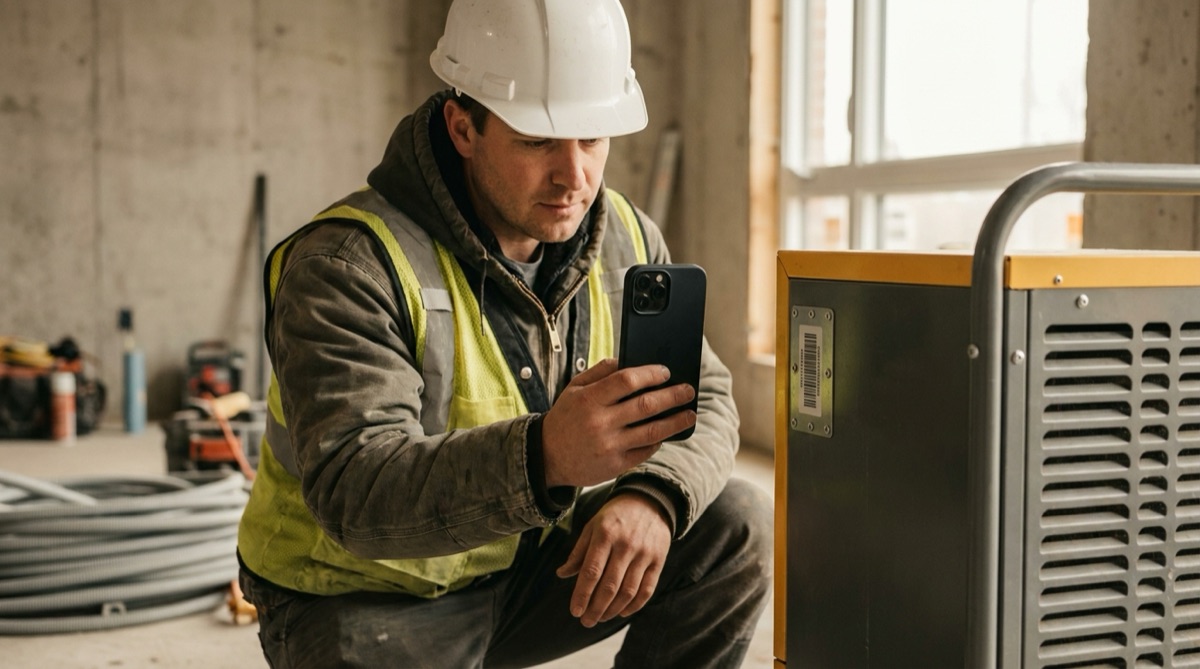
Equipment rental technician scanning dehumidifier barcode at construction site

Why Equipment Rental Companies Lose Track of Machines

For equipment rental companies, lost or misplaced equipment represents thousands of dollars in replacement costs. When you have 45 dehumidifiers and 30 air movers deployed across 15-20 construction sites, keeping track of which machine is where becomes nearly impossible with manual systems.

The office phone rings constantly with the same question: Where is unit number 47? Staff waste hours calling different job sites trying to locate specific equipment. Often, nobody knows for certain. The machine might be at the Henderson site, or was it moved to the Parker project last week? Without reliable tracking, answering simple location questions becomes a time-consuming investigation.

Customer disputes add another layer of frustration. A contractor claims you never delivered the three dehumidifiers they ordered. Without documentation showing exact delivery times and GPS coordinates, these disputes become expensive he-said-she-said arguments that damage customer relationships and cost time to resolve.

Meanwhile, equipment occasionally disappears entirely. Over three years, twelve units simply vanished - never returned, location unknown, customers claiming they gave them back. That's $18,000 in equipment losses that could have been prevented with proper tracking. You need a system that creates an indisputable record of where each machine is, when it was delivered, and who has it.

How DataScan Solves Equipment Tracking

DataScan turns any iPhone or iPad into a professional equipment tracking system with built-in GPS location capture. Each piece of equipment gets a barcode label with its unique ID. When your technician delivers equipment to a job site, they use DataScan's One-to-Many Scan mode: scan the site identifier once, then scan each machine being deployed - every unit is linked to that job site.

The app automatically captures GPS coordinates with every scan, creating a precise location record. No manual data entry, no addresses to type - the location is recorded automatically and accurately. Your technician scans five dehumidifiers in 30 seconds, and you instantly have a complete deployment record with exact coordinates.

Export and email the deployment record to your office immediately. The email contains all equipment IDs, the job site information, GPS coordinates with a map link, and timestamp of deployment. Your office staff updates the tracking system, and now everyone knows exactly where those five machines are located.

When someone in the office asks where unit 47 is, the answer takes 10 seconds instead of 20 minutes of phone calls. Open the tracking system, search for unit 47, and see: Deployed to Riverside Apartment Construction Site, GPS coordinates 40.7580 N, 111.8910 W, delivered October 15 at 2:30 PM by Technician Mike. Complete accountability, zero guesswork, no lost equipment.

The Simple Equipment Deployment Workflow

  1. Load Equipment for Delivery Technician loads equipment into truck. Each machine has a barcode label with its unique equipment ID number clearly visible.
  2. Arrive at Job Site At the construction site, open DataScan in One-to-Many Scan mode and enable GPS location capture. Scan the job site identifier barcode from your job sheet or manually enter the site code - this becomes the location every machine is scanned into.
  3. Scan Deployed Equipment Scan the barcode on each piece of equipment being left on site. GPS coordinates are automatically captured with each scan, creating precise location records.
  4. Email Deployment Record Tap export and email the deployment record to the office. The email contains equipment IDs, job site info, GPS coordinates, and timestamp - ready for immediate tracking system update.
  5. Update Tracking System Office staff receives the email and updates the equipment tracking system. All deployed machines now show current location, customer assignment, and deployment date.

DryTech Equipment Rentals: Tracking 75 Units Across 20 Sites

Mike Rodriguez owns DryTech Equipment Rentals, specializing in industrial drying equipment for construction contractors. His fleet includes 45 commercial dehumidifiers and 30 air movers - equipment worth over $85,000 that's constantly being deployed to water damage restoration sites, new construction projects, and renovation jobs.

Before DataScan, tracking equipment was a constant headache. Technicians would deliver machines and report back verbally: I took three dehumidifiers to the Henderson site. This information went into a spreadsheet, but it was always incomplete. Which three specific units? What time were they delivered? Exactly where is the Henderson site? The spreadsheet was rarely updated when equipment moved between sites.

The consequences were expensive. Over three years, DryTech lost twelve units worth $18,000. Equipment disappeared, customers claimed they returned machines that were never logged back, and without documentation, Mike had no proof either way. Insurance helped, but premiums increased and the hassle was enormous.

Locating equipment for new rentals was equally frustrating. A customer would call needing two dehumidifiers immediately. Mike's office manager would spend 20 minutes calling sites: Do you still have unit 47? Was it picked up? Nobody was certain. Sometimes they'd drive to a site expecting to collect equipment, only to discover it had been moved elsewhere days ago.

Now, when technician Carlos arrives at the Riverside Apartment construction site with three dehumidifiers, he pulls out his iPhone running DataScan. He scans the job site barcode from his work order - SITE-RIVERSIDE-APT - then scans each machine: DEHUM-047, DEHUM-051, DEHUM-063. Takes 30 seconds total. The app automatically captures GPS coordinates: 40.7580 N, 111.8910 W. Carlos taps email, sends the deployment record to the office, and drives to his next delivery. Back at the office, the tracking system shows all three units deployed at Riverside Apartments with a clickable map link, delivered October 15 at 2:30 PM by Carlos. When someone asks where unit 47 is, Mike opens the tracker and answers in 10 seconds: Riverside Apartments, deployed three days ago, customer has it for another week. Zero phone calls, zero guesswork, complete accountability.

The Numbers: Before and After

Before DataScan: Equipment location inquiries took 15-20 minutes each, lost 12 units over 3 years ($18,000), customer disputes took days to resolve. After DataScan: Location inquiries take 10 seconds, zero lost equipment in 8 months, customer disputes resolved in minutes with GPS proof, time savings of 10+ hours per week.

Measured Results After Eight Months

  • Zero lost or missing equipment (previously lost 3-4 units per year worth $6,000+)
  • 95% reduction in time spent locating equipment (from 20 minutes to 10 seconds per inquiry)
  • Customer disputes resolved in minutes instead of days using GPS and timestamp proof
  • Complete deployment records for insurance and accountability purposes
  • Office staff freed from constant location inquiry phone calls
  • Equipment utilization improved - always know what's available for next rental

Everything You Need for Equipment Tracking

Automatic GPS Location Capture

Every scan automatically records GPS coordinates. Know exactly where equipment was deployed with precise latitude and longitude. Clickable map links included in exports.

One-to-Many Scan Mode

Scan the job site barcode once, then scan all equipment being deployed. One-to-Many Scan mode associates multiple machines with one location in a single scanning session.

Email Deployment Records

Export and email deployment records directly from the app. Includes equipment IDs, GPS coordinates, timestamps, and technician information for immediate tracking updates.

Works Completely Offline

Scan equipment at remote construction sites without internet. GPS and scanning work offline. Sync and email when back in cellular coverage.

Timestamp Documentation

Every scan records exact date and time. Prove when equipment was delivered or picked up. Essential for customer disputes and billing accuracy.

Pickup Verification

When retrieving equipment, switch to Multiple Value Scan mode: scan each unit being picked up and record its condition as a note, with GPS location captured - a complete audit trail from deployment through return.

Start Tracking Equipment in 5 Minutes

  1. Download DataScan Download DataScan from the App Store on technician iPhones or iPads. Start the 7-day free trial - no credit card required.
  2. Label Your Equipment Apply barcode labels to each piece of equipment with unique IDs. Use durable weatherproof labels that survive outdoor construction environments.
  3. Create Job Site Identifiers Generate barcode labels for each job site or use simple text codes that technicians can manually enter in the app.
  4. Scan Deployments In One-to-Many Scan mode, scan the job site identifier first, then scan each machine going out. Every deployed unit is linked to that site in one scanning session.
  5. Email and Track Export deployment records and email to the office. Update your tracking system with exact equipment locations, GPS coordinates, and deployment dates.

Ready to Stop Losing Equipment?

Join equipment rental companies who have eliminated lost machines and tracking headaches. Start your free 7-day trial today.

7-Day Free Trial • No Credit Card Required • Cancel Anytime