E-commerce Solution

Verify Deliveries in Minutes, Not Hours

Scan pallets instantly to catch discrepancies before the driver leaves - no expensive hardware, no manual counting errors.

7-Day Free Trial No Credit Card Required iOS & iPadOS
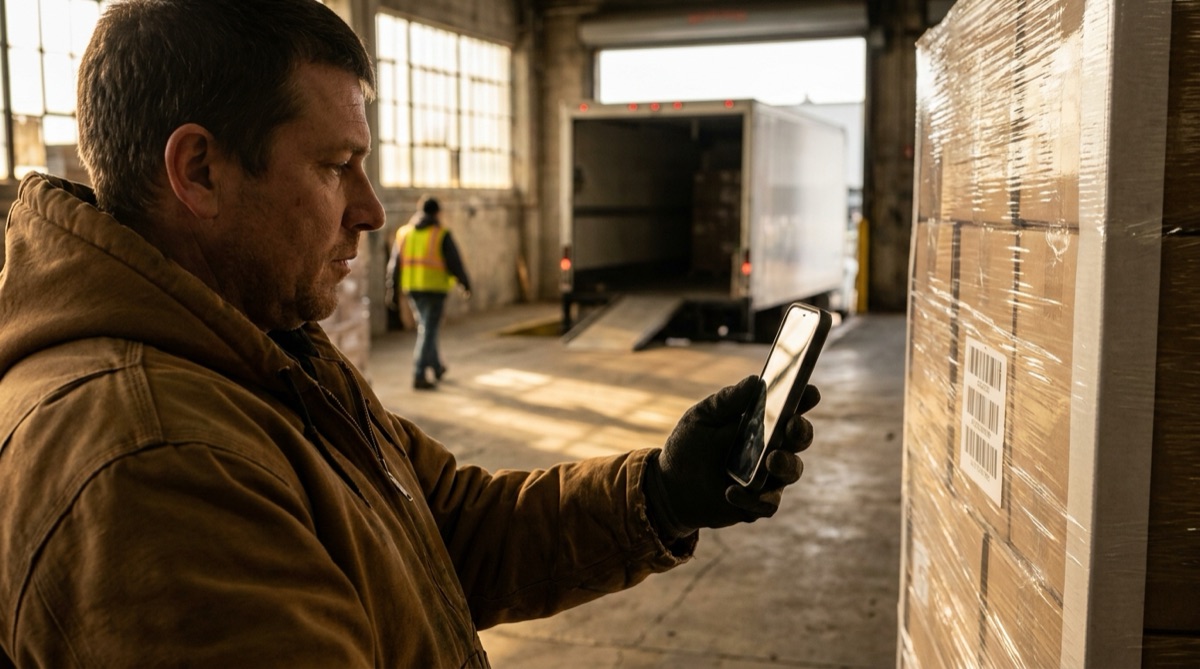
Warehouse employee scanning delivery boxes on pallet for verification

Why Online Retailers Struggle With Delivery Verification

For online retailers receiving regular shipments from manufacturers, verifying deliveries is a critical but time-consuming bottleneck. When a pallet arrives with 40-50 boxes, manually counting every item takes 20-30 minutes. That's wasted time when staff could be processing orders or helping customers.

Manual counting creates its own problems. Count 50 boxes by hand and you're likely to miscount. Miss three boxes and you won't discover the shortage until days later when you go to fulfill orders. By then, the driver is long gone and disputing the shortage becomes a nightmare of paperwork and finger-pointing.

Paper receiving logs compound the frustration. Staff scribble box counts on clipboards, often making errors or forgetting to record critical details. When discrepancies appear later, there's no reliable documentation to support your claim with the supplier.

Meanwhile, every missed item costs real money. If you ordered 40 boxes but only received 37, that's three boxes of product you've paid for but can't sell. Multiply this across weekly deliveries and the losses add up quickly. You need a verification system that's fast, accurate, and creates indisputable documentation.

How DataScan Solves Delivery Verification

DataScan turns any iPhone or iPad into a professional receiving verification system. When the delivery truck arrives, simply scan the barcode on each box using Continuous Scan mode. For a typical 40-box pallet, scanning takes just 2-3 minutes instead of 20+ minutes of manual counting.

Continuous Scan mode handles rapid verification effortlessly. No button presses between scans, no delays - just point at each box barcode and move on. The app captures every scan with a timestamp, creating an indisputable record of exactly what was delivered and when.

Verification happens while the driver is still present. Import your purchase order into DataScan beforehand and use Lookup Scan mode: each box is checked against the expected list the instant it's scanned, with an immediate match or no-match result. Or export your scan results to Excel in seconds, open your purchase order spreadsheet, and compare the two lists side by side. Either way, discrepancies jump out immediately - missing box numbers, quantity differences, or unexpected items.

When you find a shortage, the driver is still there to address it. Either they locate the missing boxes on the truck, or you document the shortage with precise scan records showing exactly what arrived. Your supplier receives professional documentation showing the specific barcodes scanned, quantities verified, and timestamp of delivery - making disputes clear-cut instead of contentious.

The 5-Minute Verification Process

  1. Pallet Arrives Delivery truck brings pallet with multiple boxes. Open DataScan and start continuous scan mode before the driver begins unloading.
  2. Scan All Boxes As boxes come off the truck, scan each barcode. Takes 2-3 seconds per box. The app displays each scanned code for visual confirmation and records timestamps automatically.
  3. Export Scan Results When all boxes are unloaded, tap export to generate an Excel file containing all scanned barcodes, quantities, and timestamps. File is ready in seconds.
  4. Compare to Purchase Order Open your PO spreadsheet and compare it to the scan results. Identify any missing items or quantity discrepancies immediately while reviewing both lists.
  5. Resolve Before Driver Leaves If you find discrepancies, address them with the driver immediately. Either locate missing items or document the shortage with your scan records as proof.

GreenLeaf Garden Supplies: A Real-World Example

Sarah Chen runs GreenLeaf Garden Supplies, an online retailer specializing in gardening equipment and supplies. She receives weekly shipments from manufacturers in China - typically two pallets with 35-50 boxes each. Every delivery represents $8,000-12,000 in inventory that needs accurate verification.

Before DataScan, Sarah's receiving process was frustrating and error-prone. Staff would manually count boxes as they came off the truck, writing tallies on clipboards. With 70-100 boxes per delivery, counting took 45 minutes. Even then, mistakes happened - staff would lose count, misread box labels, or forget to record certain items.

Discrepancies appeared days later during inventory. Sarah would discover she ordered 40 units of a popular plant fertilizer but only had 37 in stock. With no reliable documentation from receiving, disputing shortages with suppliers became contentious. The supplier would claim they sent everything, Sarah's team was certain they didn't receive it, and without proof, resolution dragged on for weeks.

Now, when deliveries arrive, Sarah's warehouse manager Marcus positions himself with an iPad running DataScan. As the driver unloads boxes, Marcus scans each barcode in continuous scan mode. For a typical 80-box delivery, scanning takes just 8 minutes. The app records every box number and timestamp automatically.

As soon as unloading finishes, Marcus exports the scan results to Excel. He opens the purchase order spreadsheet on his laptop and compares the two lists. Last week, he immediately spotted that three boxes of a specific product were missing - boxes numbered 847, 848, and 849 appeared on the PO but not in the scan results. Marcus showed the driver, who found the three boxes still on the truck behind other pallets. Crisis prevented, product received, customer orders fulfilled on time.

The Numbers: Before and After

Before DataScan: 45 minutes per delivery verification, 5-8 counting errors per month, 3 missed shortages discovered too late ($850 loss). After DataScan: 8 minutes per delivery, 0 counting errors, 0 missed shortages, $850 annual savings, professional documentation for all disputes.

Measured Results After Six Months

  • 80% reduction in receiving time (from 45 minutes to 8 minutes per delivery)
  • 100% elimination of manual counting errors
  • 3 shortages caught immediately that would have been missed (saved $850)
  • Reduced supplier disputes from weeks to days with professional documentation
  • Zero inventory discrepancies traced to receiving errors
  • Improved supplier relationships with clear, indisputable delivery records

Everything You Need for Delivery Verification

Rapid Continuous Scanning

Scan boxes as fast as they come off the truck with Continuous Scan mode. No button presses, no delays - just point and scan. Verify 80+ boxes in under 10 minutes.

Automatic Timestamps

Every scan records the exact date and time. Creates indisputable proof of when items were delivered and verified. Complete audit trail for disputes.

Lookup Scan Against Your PO

Import your purchase order as a product database and scan in Lookup Scan mode - each box shows an instant match or no-match against the expected list. Or export to Excel with one tap and compare side by side.

Works Completely Offline

No internet connection required during scanning. Perfect for warehouses and loading docks with poor connectivity. Sync and export when back online.

Duplicate Detection

Automatically flags if the same barcode is scanned twice. Prevents double-counting while allowing legitimate correction of mistakes.

Professional Documentation

Generate detailed receiving reports with all scan data, timestamps, and quantities. Supplier disputes resolved quickly with clear evidence.

Start Verifying Deliveries in 5 Minutes

  1. Download DataScan Download DataScan from the App Store on your iPhone or iPad. Start the 7-day free trial - no credit card required.
  2. Enable Continuous Scan Open the app and tap Continuous Scan mode. This mode is designed for high-volume scanning like delivery verification.
  3. Scan Incoming Boxes When your delivery arrives, scan each box barcode as it comes off the truck. The app captures everything automatically.
  4. Export Results Tap the export button to generate an Excel file of all scanned items. Email it to yourself or save to cloud storage.
  5. Compare and Verify Open both the scan results and your purchase order. Compare the lists to identify any discrepancies before signing off on delivery.

Ready to Eliminate Receiving Errors?

Join online retailers who have stopped losing inventory to manual counting mistakes. Start your free 7-day trial today.

7-Day Free Trial • No Credit Card Required • Cancel Anytime