Specialty Retail

Order Specialty Products Accurately with Barcodes

Eliminate phone order errors and streamline specialty ordering. Perfect for wine shops and gourmet retailers with direct supplier integration.

7-Day Free Trial No Credit Card Required iOS & iPadOS
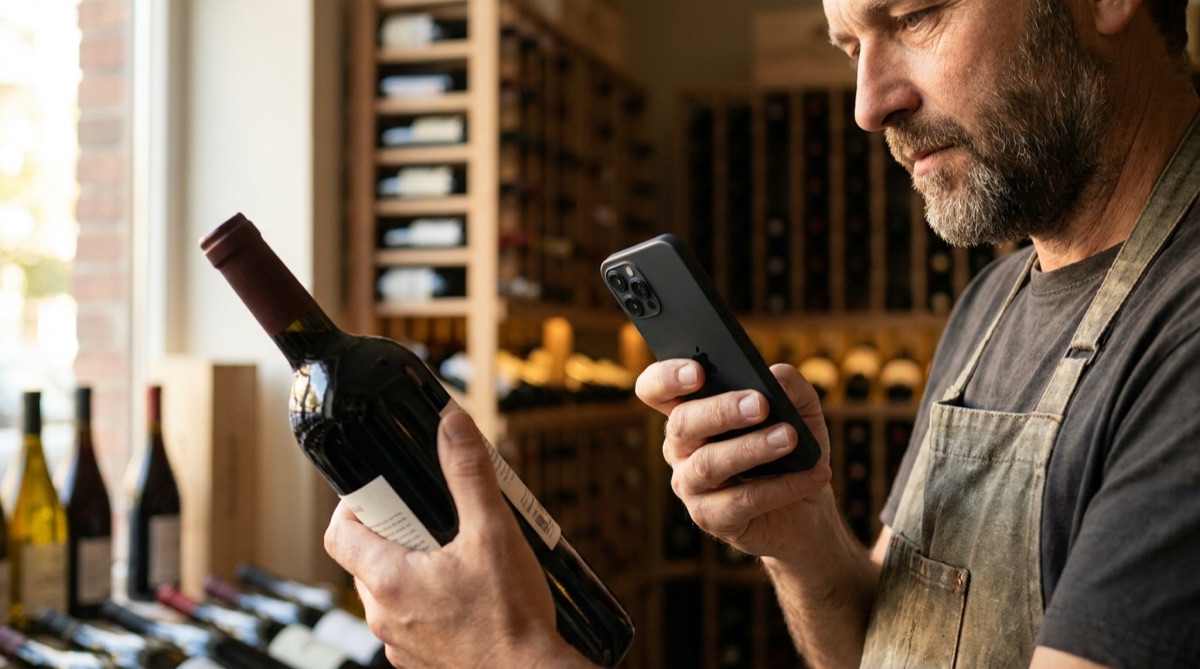
Wine shop owner scanning bottle barcode to create supplier order

Why Specialty Retailers Struggle With Ordering

Specialty retail ordering is uniquely painful. You're not ordering generic SKUs from a warehouse - you're ordering specific vintages, rare products, and items with complex naming. Try ordering wine over the phone: '2019 Château Margaux Pavillon Rouge from Bordeaux, the 750ml not the magnum.' Did the supplier write down 2019 or 2018? Château Margaux or Château Montrose? The 750ml or the 1.5L? One small miscommunication and you receive $600 worth of the wrong product.

The phone-based ordering process is slow and error-prone. You walk through your store with a notepad writing down products you need to reorder. Back at your desk, you call suppliers and read product names from your notes. The supplier's order taker tries to find each product in their system while you're both on the phone. 'Can you spell that?' 'Is that a 2019 or a 2020?' 'What size?' A 20-item order takes 30 minutes of phone time. Both parties make transcription errors. You hang up unsure if the order is actually correct.

Email ordering is slightly better but still problematic. You type product names into an email from your handwritten notes. The supplier's order entry person interprets your text and tries to match it to products in their system. If you wrote '2019 Margaux' but they have five different 2019 Margaux products, they're guessing which one you meant. Or they email you back asking for clarification, adding days to the ordering cycle.

The consequences of ordering errors are expensive. Wrong products arrive. You can't sell them because they're not what your customers want. You negotiate returns with the supplier - if they'll even accept returns on specialty products. You're out the capital tied up in wrong inventory. You're still out of stock on the products you actually needed. Your customers are disappointed. Meanwhile, the correct products you needed sold out at the supplier because you delayed while dealing with the ordering error.

How DataScan Eliminates Specialty Ordering Errors

DataScan lets you order by scanning product barcodes instead of describing products verbally or in writing. Walk through your store in Single Value Scan mode: scan each product you need to reorder and enter the order quantity on the spot. The app captures exact barcodes and quantities - no interpretation, no spelling errors, no confusion. Export to Excel and you have a perfect order list: one column of barcodes, one column of quantities. Email this to your supplier or import it directly into their ordering system if they support barcode-based ordering.

The barcode contains zero ambiguity. When you scan a wine bottle, you're capturing the exact UPC that identifies the specific vintage, size, and product variant. The supplier looks up that UPC in their system and knows precisely which product you want. No more 'did you mean the 2019 or the 2020?' No more 'we have three different Margaux, which one?' The barcode eliminates all interpretation.

Ordering becomes incredibly fast. Walking through your store scanning products takes 5 minutes for a 20-item order instead of 30 minutes of phone time. The scanning is faster than writing product names on a notepad. Export the scan data to Excel in 2 seconds. Email the spreadsheet to your supplier in 30 seconds. Total time: 6 minutes instead of 30 minutes. The supplier's order entry is equally fast - they can import your barcode list directly instead of manually looking up and typing product names.

The system creates perfect order history. Every order is saved with exact product barcodes, quantities, timestamp, and who created the order. You can review what was ordered six months ago by exporting the scan data. Compare reorder patterns. Identify your consistently fast-moving products. Share ordering responsibilities across staff with confidence that everyone will order the exact correct products because they're scanning barcodes, not interpreting handwritten product names.

How It Works: The 5-Minute Perfect Order

  1. Walk and Scan Walk through your store in Single Value Scan mode, scanning barcodes on products you need to reorder. For each product, enter the quantity you want to order. The app captures exact barcodes and quantities - no writing, no phone calls, no ambiguity.
  2. Review Your Order Review the list of scanned products and quantities before export. The app shows you everything you've scanned. Make any quantity adjustments. Remove any accidental scans. Verify completeness.
  3. Export to Excel Export your order to Excel with one tap. The spreadsheet shows product barcodes, quantities, timestamp, and who created the order. Two columns: barcodes and quantities.
  4. Send to Supplier Email the Excel file to your supplier. Progressive suppliers can import the barcode list directly into their order system. Traditional suppliers look up each barcode manually (still faster and more accurate than phone orders).
  5. Receive Correct Products When products arrive, verify them by scanning. The barcodes on delivered products should match the barcodes in your order spreadsheet. Instantly catch any supplier errors before the delivery truck leaves.

Vintner's Choice Wine Shop: A Real Example

Vintner's Choice is an upscale wine shop in Boston specializing in French and Italian wines. They stock about 800 different wines across a wide range of vintages, regions, and producers. Owner Marcus had been ordering via phone calls to distributors twice per week. Each ordering session involved walking the store with a notepad, writing down wines to reorder, then spending 45-60 minutes on the phone with three different distributors reading wine names and trying to ensure they were ordering the correct products.

Before DataScan, ordering errors were a constant problem. Distributors would send 2020 vintage instead of 2019, or 1.5L magnums instead of 750ml standard bottles, or Château Margaux instead of Château Montrose (similar names, very different wines and prices). Marcus estimated that 10-15% of deliveries included at least one wrong product. Returns were difficult - some distributors charged restocking fees or refused returns on special orders. Wrong inventory tied up capital and shelf space while he was still out of stock on the products customers actually wanted.

Marcus implemented DataScan for $50/year (single iPhone). Now his reordering process is completely different: twice per week, he walks through the shop with his iPhone in Single Value Scan mode, scanning wines that are low or sold out. For each wine scanned, he enters the reorder quantity in the app. The entire store walk-through takes 10 minutes instead of 20 minutes with notepad method. Back at his desk, he exports the scan data to Excel (2 seconds), creates three separate spreadsheets by sorting on distributor (3 minutes), and emails one order spreadsheet to each distributor (2 minutes).

His main distributor upgraded their order system to accept barcode-based orders, so they now import Marcus's spreadsheet directly - zero manual entry, zero errors. The other two distributors still process orders manually but find the barcode list much faster and more accurate than phone orders. They look up each UPC in their system and enter quantities. What used to take 45-60 minutes on the phone now takes them 10-15 minutes of solo work, and Marcus's phone time is zero.

Ordering errors dropped from 10-15% of deliveries to under 2%. The remaining errors are usually genuine distributor mistakes (sent the wrong product despite having the correct UPC), not communication errors. Marcus catches most of these errors immediately upon delivery by scanning received products and comparing to his order spreadsheet - if a barcode doesn't match, he refuses the item before the truck leaves. Return negotiations are easier because he has documented proof of what he ordered (the spreadsheet with barcodes) versus what was delivered.

The Numbers: Before and After

Before DataScan: 90 minutes per week on phone orders, 10-15% error rate, 2-3 hours monthly dealing with returns and wrong inventory. After DataScan: 15 minutes per week creating orders, <2% error rate, <30 minutes monthly on returns. Time savings: 75 minutes weekly (65 hours annually). Error reduction: 85%+.

Measured Results After 8 Months

  • Ordering time reduced from 90 minutes weekly to 15 minutes weekly (83% reduction)
  • Ordering error rate dropped from 10-15% to under 2% (85%+ reduction)
  • Annual time savings: 65 hours of owner time (valued at $3,250-6,500 depending on hourly rate)
  • Wrong inventory capital tie-up reduced from average $2,000 to under $200
  • Main distributor now processes orders in 5 minutes via direct barcode import vs 30+ minutes phone time
  • Zero phone time required for ordering - all async via email with perfect accuracy

Everything You Need for Specialty Ordering

Barcode-Based Ordering

Scan product barcodes to capture exact product identification. Eliminates all ambiguity about vintages, sizes, variants. The barcode contains perfect product specification.

Single Value Scan Ordering

Scan a product, enter the quantity you want to order - Single Value Scan mode links every barcode with its quantity. Review and adjust before export.

Order History

Every order is saved with product barcodes, quantities, timestamp, and who created it. Review past orders. Identify reorder patterns. Perfect documentation for accounting.

Multi-Supplier Support

Scan all products in one pass, then sort by supplier in Excel. Create separate order spreadsheets for each supplier. Streamline ordering from multiple distributors.

Receiving Verification

When products arrive, scan them and compare to your order spreadsheet. Instantly identify any supplier errors. Refuse wrong products before the delivery truck leaves.

Works Offline

Walk through your store scanning products without needing Wi-Fi. The app works completely offline. Export when you're back at your computer with internet.

Get Started in 15 Minutes

  1. Download DataScan Download DataScan from the App Store. Start the free 7-day trial - no credit card required. No special configuration needed for specialty retail ordering.
  2. Create Your First Order Walk through your store scanning products you need to reorder. Enter quantities for each product. The scanning takes about 60 seconds to learn.
  3. Export and Review Export the order to Excel with one tap. Review the spreadsheet - one column of barcodes, one column of quantities. Verify everything looks correct.
  4. Send to Supplier Email the order spreadsheet to your supplier. If you order from multiple suppliers, sort the spreadsheet by distributor and create separate files for each.
  5. Verify Delivery When products arrive, scan them with DataScan and compare barcodes to your order spreadsheet. Catch errors immediately. Make this standard receiving procedure.

Ready to Eliminate Ordering Errors?

Join specialty retailers who reduced ordering errors by 85%+ and save hours per week. Start your free 7-day trial today.

7-Day Free Trial • No Credit Card Required • Cancel Anytime