Manufacturing Solution

Reorder Parts With a Single Scan

Eliminate manual ordering - scan bin barcodes to automatically send replenishment requests to your supplier.

7-Day Free Trial No Credit Card Required iOS & iPadOS
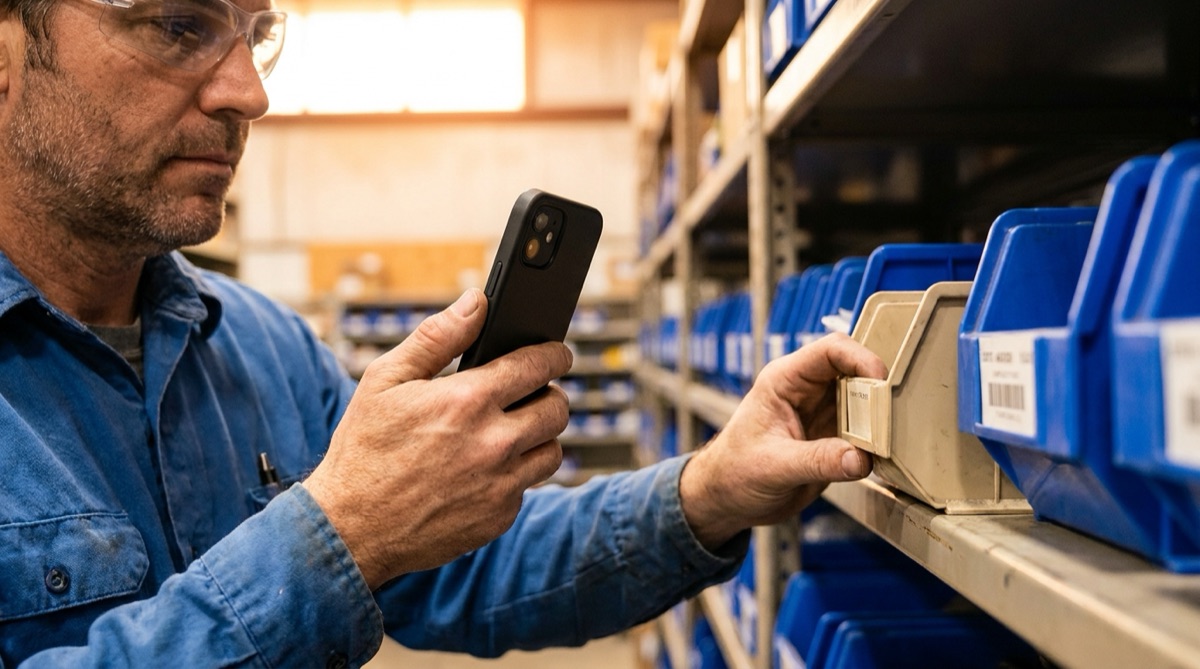
Factory worker scanning bin barcode to trigger automatic supplier reorder

Why Manual Reordering Slows Manufacturing

For manufacturers using consignment inventory or kanban systems, manual reordering creates bottlenecks that stop production. A worker notices bin 47 is running low on M8 socket head screws. They write the bin number on paper, take it to purchasing at end of shift, and purchasing calls the supplier the next day. By then, the bin might be empty and production is waiting.

Phone orders are error-prone and time-consuming. The purchasing person reads part numbers over the phone, mishears specifications, and spends 10 minutes per order. Wrong parts get ordered - M6 instead of M8, button head instead of socket head. The wrong parts arrive, can't be used, and production delays continue while correct parts are rush-ordered.

This manual process wastes time at every step. Workers spend time writing notes, walking to the purchasing department, and explaining what's needed. Purchasing staff spend hours on phone calls when they could focus on strategic sourcing and supplier negotiations. The supplier's order entry person spends time deciphering handwritten notes and clarifying unclear requests.

Just-in-time inventory becomes impossible when reordering takes 3-5 days. You need larger safety stock to compensate for slow reorder cycles, tying up capital in excess inventory. Your supplier wants to offer vendor-managed inventory but can't without a streamlined communication system. You need instant, error-free reordering that anyone on the production floor can trigger.

How DataScan Automates Bin Replenishment

DataScan transforms bin replenishment into a one-scan operation. Your fastener supplier provides a shelving system where each bin has a unique barcode. The DataScan app is pre-configured once with your supplier's email address and your customer number. When a production worker notices a bin running low, they scan the bin barcode in Lookup Scan mode - the app matches it against the imported parts database and confirms exactly which part they're reordering. That's it.

The app automatically generates and sends an email to your supplier with all necessary information. The email contains the bin barcode, which maps to the exact part number in the supplier's system, plus your customer number from the preset comment field. No typing, no phone calls, no manual data entry. The entire reorder process takes 5 seconds.

Multiple bins can be scanned in Continuous Scan mode if several parts are running low. Scan bin 47, bin 52, bin 63 - three scans in 10 seconds. Tap the email button once, and all three replenishment requests go to your supplier in a single organized message. Your supplier's order entry system processes the email, creates the order, and schedules delivery.

Orders arrive faster because they're placed instantly when the need arises, not days later after passing through purchasing. Error rates drop to zero because the bin barcode maps directly to the exact part specifications - no verbal communication to misinterpret. Your purchasing department is freed from routine reordering to focus on strategic initiatives, while production workers can reorder supplies the moment they're needed.

The Instant Reordering Workflow

  1. One-Time App Configuration Set up DataScan with your supplier's order email address, your customer number in the default comment field, and optionally upload a lookup database matching bin barcodes to part descriptions.
  2. Worker Notices Low Stock Production floor worker sees that a bin is running low during normal work. Takes out their phone or uses the shared shop floor tablet.
  3. Scan Bin Barcode Open DataScan in Lookup Scan mode and scan the barcode label on the low-stock bin. The lookup database shows the part number or description for confirmation. Can scan multiple bins if several are low.
  4. Auto-Send Email Order Tap the email button. App automatically sends email to supplier with customer number, bin barcodes, and standard replenishment request message. No manual typing needed.
  5. Supplier Processes Order Supplier's order entry person receives structured email, processes the order in their system, and ships replacement bins within 48 hours. Worker returns to production immediately.

AutoTech Manufacturing: From 5-Day to 2-Day Replenishment

AutoTech Manufacturing produces automotive components using hundreds of different fasteners supplied by PrecisionFast Industries on a consignment basis. PrecisionFast provides a 50-bin shelving system where AutoTech only pays for fasteners as they're used. The system works beautifully for cash flow, but manual reordering was creating supply interruptions.

Before DataScan, the process was painfully slow. Production worker notices bin 28 running low on M8x20 socket head screws. Worker writes bin number on paper during break. At end of shift, takes note to purchasing office. Next morning, purchasing clerk Sarah calls PrecisionFast: We need more bin 28. Order entry person looks up bin 28 in their system, confirms it's M8x20 socket heads, enters the order. Two days later, the replacement bin arrives. Total time: 3-5 days.

Problems compounded when multiple bins ran low simultaneously. Workers would forget to report some bins, or notes would get lost. Purchasing made phone calls for 3-4 bins at a time, taking 10+ minutes per call. Occasionally, the wrong part was ordered due to miscommunication. Production would run out of critical fasteners and have to halt assembly while waiting for rush delivery.

After implementing DataScan, AutoTech configured the app in 10 minutes. Email recipient: orders@precisionfast.com. Default comment: Customer A4472. Lookup database uploaded with all 50 bin descriptions so workers could see part details when scanning. The transformation was immediate.

Now when production worker James notices bin 28 running low, he walks to the shelf, pulls out his phone, opens DataScan, and scans the bin barcode: PF-BIN-M8-20-SH. The app shows M8x20 Socket Head Screws for confirmation. He scans two more bins that are also low. Taps Email. Done. Total time: 30 seconds. The email arrives at PrecisionFast with three bin barcodes and customer number A4472. Order entry processes it in 2 minutes, ships same day. Bins arrive within 48 hours. Reorder cycle cut from 3-5 days to 2 days. Zero phone calls, zero errors, zero purchasing department bottleneck.

The Numbers: Before and After

Before DataScan: 3-5 day reorder cycle, 10 minutes per phone order, 15% error rate on orders, purchasing spent 8 hours/week on routine reordering. After DataScan: 2-day reorder cycle, 30 seconds per order, 0% error rate, purchasing freed completely from routine orders, production runs more smoothly.

Measured Results After Six Months

  • 40% reduction in reorder cycle time (from 3-5 days to 2 days)
  • 100% elimination of order errors (previously 15% wrong parts ordered)
  • 95% time savings on reorder process (from 10 minutes to 30 seconds)
  • Purchasing department freed from 8 hours per week of routine ordering
  • Zero production delays due to late parts reordering
  • Improved supplier relationship with professional, structured ordering

Everything You Need for Automated Reordering

Preset Email Recipients

Configure supplier email addresses once and forget about it. Every scan automatically routes to the correct supplier without manual entry.

Default Customer Information

Set your customer number or account code in the default comment field. Automatically included in every email so supplier knows who's ordering.

Lookup Database Integration

Upload part number database so workers see part descriptions when scanning bins in Lookup Scan mode. Confirms they're ordering the correct item before sending.

Continuous Scan for Multiple Bins

Scan multiple low-stock bins in one session with Continuous Scan mode, then send all replenishment requests in a single organized email to your supplier.

Zero Manual Data Entry

No typing part numbers, no phone calls, no written notes. Scan and send - that's the entire process. Eliminates all manual communication errors.

Scalable to Multiple Suppliers

Works with unlimited suppliers and hundreds of bins. Each supplier gets their own configuration. Perfect for complex manufacturing environments.

Configure Automated Reordering in 10 Minutes

  1. Download DataScan Download DataScan from the App Store on production floor devices. Start the 7-day free trial - no credit card required.
  2. Set Supplier Email Configure your supplier's order entry email address as the default email recipient in app settings.
  3. Add Customer Number Enter your customer account number or code in the default comment field so every order includes your identifier.
  4. Upload Part Database (Optional) Create a CSV file matching bin barcodes to part descriptions and upload to DataScan's lookup database for visual confirmation.
  5. Start Scanning and Ordering When bins run low, scan the barcode and tap email. Orders go directly to supplier instantly. Empower any production worker to trigger reorders.

Ready to Automate Parts Reordering?

Join manufacturers who have eliminated manual ordering and freed their purchasing teams. Start your free 7-day trial today.

7-Day Free Trial • No Credit Card Required • Cancel Anytime