Contractor Solution

Never Lose Tools at Job Sites Again

Track every tool deployment with GPS. Know exactly which tools are at which job site. Eliminate theft and loss with professional documentation.

7-Day Free Trial No Credit Card Required iOS & iPadOS
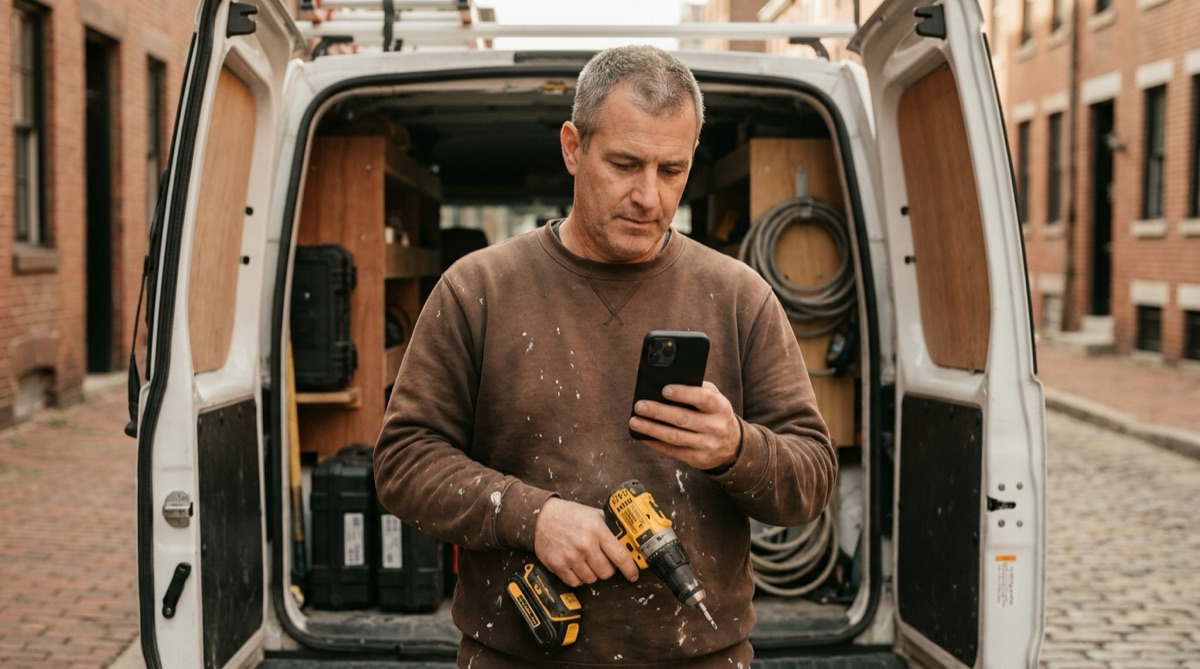
Contractor scanning tool barcodes in truck before job site visit

Why Contractors Lose Thousands in Tools Every Year

For handymen and small contractors, losing tools isn't just inconvenient - it's expensive. A single cordless drill costs $200. A laser level is $400. Lose a few tools per year and you've spent $1,000-2,000 replacing equipment that should still be working.

The problem is tracking. You're juggling 3-5 job sites at once. Tools move from your truck to the site, from one room to another, sometimes from one job to the next. You think the impact driver is at the Johnson renovation, but is it really? Or did you leave it at the Martinez repair job yesterday?

Job site theft makes it worse. Leave a site for lunch, come back to find your nail gun missing. Was it stolen? Did another contractor accidentally pack it? Did you leave it in your truck? Without documentation, you have no proof of what was on-site when.

Meanwhile, you're wasting time. Driving back to completed jobs looking for tools. Buying duplicate tools because you can't find the ones you own. Delaying new jobs because you don't have the right equipment. The time and money drain adds up quickly.

How DataScan Solves Tool Tracking

DataScan turns your iPhone into a professional tool tracking system. Put barcode labels on your tools - you can buy pre-made equipment labels or print your own. Each morning before heading to a job site, open One-to-Many Scan mode: scan your job or truck barcode once, then scan every tool you're taking - each tool is linked to that job in a single pass.

When you arrive at the job site, scan your tools again to document they arrived - One-to-Many Scan mode links every tool to that job's barcode in one pass. Need GPS proof or a condition note for a specific tool? Multiple Value Scan mode records notes and GPS location with the scan, giving you a timestamped, GPS-tagged record proving those tools were delivered to that address.

At the end of the day, scan tools as you pack them back into your truck. The app creates a complete audit trail: tools checked out from truck at 7:45 AM, arrived at site at 8:10 AM, packed back up at 4:20 PM. Any tool that doesn't get scanned back in? You know immediately that it's still at the job site.

Export these records to Excel or email them to yourself. If a client claims you left tools behind, you have GPS proof of pickup. If theft occurs, you have documented evidence for insurance claims. And most importantly - you always know where every tool is located.

How It Works: Simple Daily Workflow

  1. Morning Check-Out Before leaving for the job site, scan the job barcode once in One-to-Many Scan mode, then scan all tools you're taking from your truck or storage. The app records exactly what equipment is deployed to which job.
  2. On-Site Arrival When you arrive at the job site, scan tools again to document arrival. GPS coordinates are automatically recorded, proving these specific tools were delivered to this specific address at this specific time.
  3. End of Day Pack-Up As you pack tools back into your truck, scan each one. Tools that get scanned are marked as returned. Tools that don't get scanned? You immediately know they're still at the job site before you drive away.
  4. Review and Export Check your scan list to verify all tools are accounted for. Export the deployment record to Excel or email it to yourself for your records. You now have a complete audit trail.
  5. Insurance Documentation If tools are stolen or go missing, you have GPS-tagged proof of when and where they were last scanned. This documentation supports insurance claims and police reports.

Mike's Handyman Services: Ending Tool Loss

Mike runs a one-man handyman business serving residential clients in suburban Phoenix. He handles 4-6 jobs per week - bathroom repairs, fence installations, minor electrical work, deck maintenance. His truck carries about $15,000 worth of tools that he's accumulated over 10 years in the trade.

Before DataScan, Mike was losing 2-3 tools per year. Sometimes theft - he's pretty sure someone took his cordless impact driver from a job site last summer. Sometimes just forgetfulness - leaving a tool in a client's garage and not realizing it until he needs it at the next job three days later. Last year he spent $1,800 replacing tools he couldn't locate.

Now Mike spends 2 minutes each morning scanning tools as he loads his truck. His tools all have barcode labels - he bought 100 equipment asset tags on Amazon for $20. When he arrives at a job, he does a quick scan to document delivery. When he leaves, he scans tools as he packs up.

The system caught its first issue on day three. Mike finished a fence repair at the Henderson house and was driving to his next job when he checked his scan list. His circular saw never got scanned during pack-up. He drove back to the Hendersons, found the saw in their backyard where he'd set it down, and retrieved it. Without DataScan, he would have driven away and only noticed the missing saw days later.

Three months in, Mike hasn't lost a single tool. He's also used the GPS records twice to prove to clients exactly what equipment was on-site when. One client claimed Mike never returned a borrowed ladder - Mike showed him the timestamped GPS scan of the ladder being loaded back into the truck. The dispute ended immediately with proof in hand.

Everything You Need for Tool Tracking

GPS Location Capture

Multiple Value Scan mode records GPS coordinates and notes with each scan. Know exactly where a tool was scanned - at your truck, at the job site, or anywhere else - and in what condition. A complete location audit trail.

One-to-Many Job Loading

Scan the truck or job-site barcode once, then every tool going in. One-to-Many Scan mode links all tools to that specific job in a single scanning session - perfect for deployment and end-of-day pack-up.

Timestamp Records

Each scan includes the exact date and time. Prove when tools were delivered, when they were on-site, and when they were retrieved. Professional documentation for any dispute.

Excel Export

Export complete tool deployment records to Excel with one tap. Includes tool IDs, GPS coordinates, timestamps, and custom notes. Perfect for insurance claims or record keeping.

Works Offline

Job sites often have poor cell service. DataScan works completely offline, capturing all GPS and barcode data without internet. Sync and export when you're back online.

No Special Hardware

Use the iPhone you already own. Buy basic barcode labels online for $20. No expensive scanning equipment, no monthly fees, no special hardware required.

Get Started in 5 Minutes

  1. Buy Barcode Labels Purchase equipment asset tags online ($20 for 100 labels on Amazon). Look for durable vinyl labels that can handle jobsite conditions.
  2. Label Your Tools Put a barcode label on each tool. Clean the surface first so labels stick well. Consider clear laminate labels for tools that get dirty or wet.
  3. Download DataScan Download DataScan from the App Store. Start the 7-day free trial - no credit card required. Open the app and select One-to-Many Scan mode.
  4. Morning Check-Out Before your first job, scan all tools you're taking. The app captures GPS at your truck location. This creates your tool deployment record for the day.
  5. End of Day Check-In When you pack up, scan tools as they go back in the truck. Export the day's records to Excel for your files. That's it - you're now tracking tools professionally.

Ready to Stop Losing Tools?

Join contractors who have eliminated tool loss and saved thousands. Start your free 7-day trial today.

7-Day Free Trial • No Credit Card Required • Cancel Anytime