Näin varmennat viivakoodiskannaukset tuotetietokantaa vasten
Kun haluat varmentaa viivakoodiskannaukset tuotetietokantaa vasten, tuo päälistasi CSV-muodossa skannaussovellukseen, joka tarkistaa jokaisen skannauksen paikallisesti. DataScanin hakuskannaus tekee juuri tämän: skannattu viivakoodi, joka on tuodussa listassasi, näyttää tietueensa välittömästi; sellainen, jota ei ole, jää heti ilman osumaa. Koko tarkistus tapahtuu puhelimessa offline-tilassa. Hakuskannaus itse ei tallenna mitään; tulostiedostoa varten skannaa jatkuvalla skannauksella niin, että hakusarakkeet lisätään vientiin.
Kysymys, johon jokaisen skannauksen pitäisi vastata
Useimmat skannaukset kertovat, mitä viivakoodi sanoo. Varmennus vastaa hyödyllisempään kysymykseen: onko tämä se, minkä pitäisi olla? Onko tämä tuote tämän päivän keräilylistalla? Onko tämä se erä, jota vedämme takaisin? Onko tämä kirja luettelossamme, tämä osa hyväksytyssä valikoimassamme, tämä hyllyhinta järjestelmähinta? Pelkkä viivakoodi ei osaa kertoa – vain vertailu omiin perustietoihisi osaa.
Tuon vertailun tekeminen silmämääräisesti – skannaa, lue numero, etsi se tulosteesta – on hidasta ja pettää juuri silloin, kun sillä on väliä, sen yhden kahdestasadasta kohdalla, joka ei kuulu joukkoon. Päälistan siirtäminen puhelimeen kääntää työn päinvastaiseksi: jokainen skannaus tarkistaa itsensä, ja vain poikkeukset pyytävät huomiotasi.
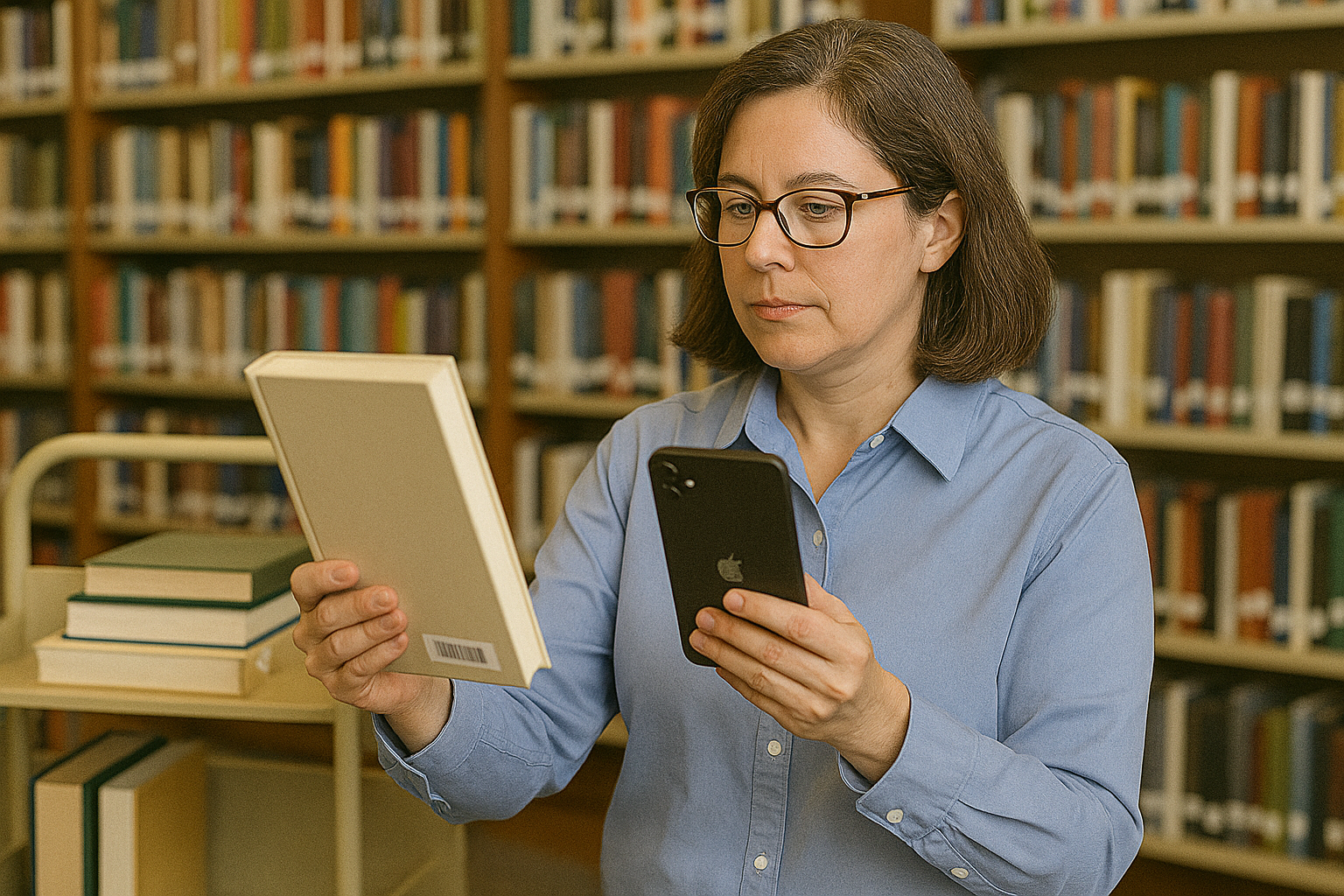
Skannausten validointi CSV-päälistaa vasten: vaihe vaiheelta
- Rakenna päälista CSV-tiedostoksi Vie viivakoodit ja kentät sieltä, missä oikeat tiedot sijaitsevat – ERP-järjestelmästä, kassajärjestelmästä, laiterekisteristä tai tavallisesta taulukosta. Ota mukaan ne kentät, jotka auttavat skannaushetkellä: tuotenimi, hinta, erä, hyllypaikka, toimittaja. Tallenna se pilkuin erotelluksi CSV-tiedostoksi niin, että viivakoodi on ensimmäisessä sarakkeessa ja datasarakkeet sen jälkeen.
- Tuo CSV DataScanin hakutietokantaan Lataa tiedosto sovellukseen. Jokaisesta viivakoodista tulee hakuavain, joka kantaa kenttänsä – tuhannet nimikkeet ovat täysin kunnossa – ja koko tietokanta on puhelimessa, minkä vuoksi tarkistus toimii kylmähuoneessa tai kellariarkistossa ilman kenttää.
- Skannaa tuotteet hakuskannaustilassa Skannaa nyt mitä tahansa. Viivakoodi, joka on listassasi, näyttää tietueensa sillä hetkellä, kun kamera lukittuu – nimen, hinnan, erän ja mitä ikinä toitkin. Viivakoodi, jota ei ole listassa, ei löydä osumaa. Tuo hiljaisuus on itse tuote: väärin merkitty, väärään paikkaan toimitettu tai valikoiman ulkopuolinen tuote ilmoittaa itsestään.
- Toimi ilman osumaa jääneiden kohdalla Siirrä tuote fyysisesti sivuun – varmennuksen kultainen sääntö on, että merkityt tuotteet poistuvat virrasta välittömästi. Hakuskannaus ei tallenna skannausta, joten jos tarvitset kirjauksen, käytä seuraavaa vaihetta.
- Säilytä kirjaus tarkistuksesta Skannaa jatkuvalla skannauksella niin, että Ristiviittaus hakutietojen kanssa on päällä, ja vie sitten sähköpostitse, SFTP:llä tai jakovalikon kautta. Jokaisella rivillä on listasi vastaavat kentät, ja rivit, joiden hakusarakkeet ovat tyhjiä, ovat osumatta jääneet – löydösraporttisi, aikaleimattuna ja valmiina liitettäväksi reklamaatioon, takaisinvetokirjaukseen tai luettelokorjaukseen.
- Päivitä tietokanta, kun perustiedot muuttuvat Tuotu lista on tilannekuva, joten vie ja tuo se uudelleen, kun hinnat muuttuvat, erät lähtevät tai tuotteita lanseerataan. Tee siitä osa rutiinia: hae tuore data jokaisen varmennustyön aamuna.
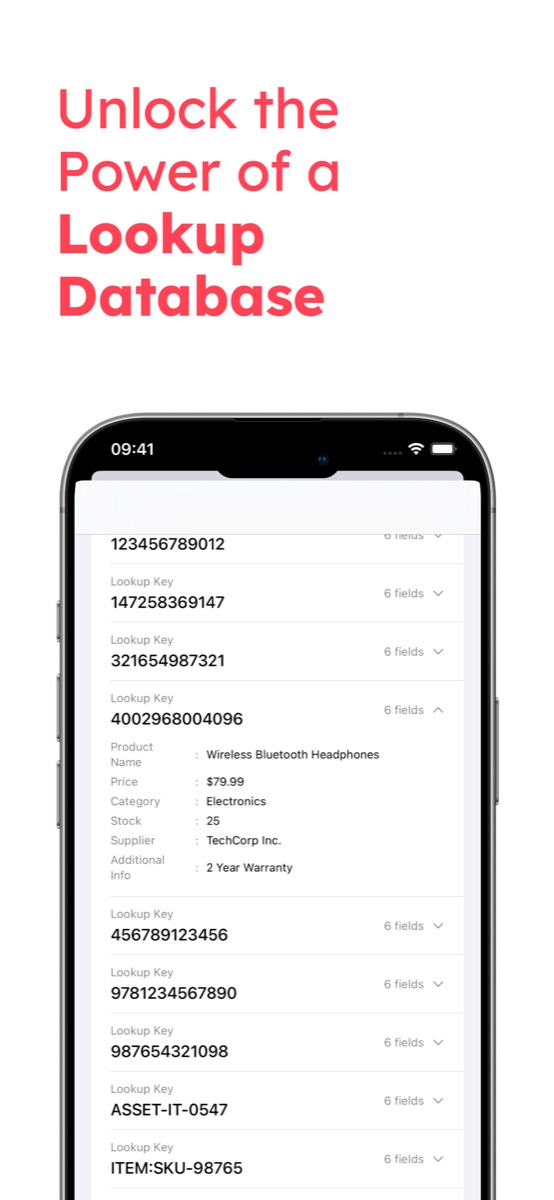
Päälistan CSV:n saaminen oikein
Varmennus on vain niin hyvä kuin sen avaimet, ja kaksi taulukkotottumusta turmelee ne huomaamatta. Ensinnäkin Excel poistaa etunollat kaikesta, mitä se pitää lukuna – nollalla alkavasta UPC-koodista tulee 11-numeroinen arvo, joka ei koskaan osu skannaukseen. Pidä viivakoodisarake tekstimuodossa tai muokkaa CSV:tä työkalulla, joka jättää sen rauhaan. Toiseksi avaimen on oltava täsmälleen se, minkä puhelin lukee: jos hyllyssä on EAN-13-koodeja, sisäinen tuotenumero viivakoodisarakkeessa ei osu mihinkään, ja UPC-A-tarra luetaan iPhonessa 13-numeroisena etunollan kanssa ja Androidissa 12-numeroisena, joten merkitse UPC-koodit listaan siinä muodossa, jossa puhelimesi ne lukevat. Skannaa viisi oikeaa tuotetta ja vertaa niitä tiedostoon ennen kuin luotat tuontiin – kahden minuutin tarkistus, joka säästää salillisen turhia osumattomia skannauksia.
Mitä tiimit varmentavat tällä
- Keräilyn ja lähetyksen tarkistukset. Tuo tilausrivit; osuman puuttuminen pakkauspöydällä on väärä keräily, joka jää kiinni ennen kuriiria eikä vasta reklamaation jälkeen. Täydentää laatikkopakkauksen opasta, joka kattaa laatikkotason kirjauksen.
- Takaisinvedot ja erien poisvedot. Tuo kyseessä olevien erien lista ja pyyhkäise hylly läpi: osumat vedetään pois, ja jatkuvan skannauksen vienti hakusarakkeineen dokumentoi pyyhkäisyn.
- Väärin merkittyjen ja harmaatuonnin tarkistukset. Koodi, jota ei ole luettelossasi – tai joka viittaa väärään tuotteeseen – on klassinen merkki uudelleen merkitystä tai väärennökseksi epäillystä tavarasta. Välitön tieto osuman puuttumisesta tekee pistotarkastuksista käytännöllisiä.
- Hintojen varmennus. Tuo nykyiset järjestelmähinnat ja kierrä käytävät; hyllynreunatarra ja skannattu hinta ovat vierekkäin näytöllä.
- Saapuva tavara ostotilausta vasten. Tämän työnkulun vastaanottoversiolla on oma oppaansa – varaston vastaanotto puhelinlukijalla.
Esimerkkityönkulkuja: laboratorion näyteputkien esimerkki näyttää jokaisen putken näytetiedot tuodusta luettelosta, kun se skannataan pakastinlaatikkoon, ja hoitotarvikkeiden laskennan esimerkki näyttää tuotenimet tarvikeluettelosta varaston laskennan aikana – molemmat perustuvat samaan tuo ja skannaa -ideaan.
Muita tapoja validoida skannauksia
Rehelliset vaihtoehdot: ERP tai WMS reaaliaikaisella validoinnilla tarkistaa jokaisen skannauksen kirjausjärjestelmää vasten reaaliajassa – oikea arkkitehtuuri silloin, kun skannausten on kirjattava tapahtumia välittömästi, yritystason lisensointikustannuksella ja niin, että verkkoyhteys on ehdoton edellytys. Julkiset viivakoodihakusovellukset kertovat, mikä tuote on globaalin luettelon mukaan, mikä on eri kysymys kuin se, onko se sinun datassasi. Tulostettu lista toimii kahdellakymmenellä nimikkeellä ja romahtaa kahdellasadalla. Tuo CSV ja skannaa -lähestymistapa kattaa leveän keskikohdan: sinun datasi, sinun puhelimessasi, offline-tilassa ja jatkuvan skannauksen tulostiedosto lopuksi – sama tiedostopohjainen filosofia kuin ERP:n CSV-tuonnin oppaassa. Katso DataScanin yleiskatsaus kaikkiin viiteen skannaustilaan; hakuskannaus sisältyy 7 päivän maksuttomaan kokeiluun, joten tämän illan päälistan tuominen ja huomisen toimituksen varmentaminen ei maksa mitään.
Usein kysytyt kysymykset
Tuot perustietojesi CSV-tiedoston – viivakoodit sekä kentät kuten nimi, hinta tai erä – sovellukseen. Kun skannaat tuotteen, sovellus etsii viivakoodin tuosta tuodusta listasta laitteella: osuma näyttää tietueen välittömästi, osuman puuttuminen tarkoittaa, ettei viivakoodi ole datassasi. Kyse on validoinnista SINUN listaasi vasten offline-tilassa, ei haussa jostain julkisesta tuoteluettelosta.
Kymmenien tuhansien nimikkeiden tuoteluettelot ovat tarkoitettu käyttötapa. Lista on puhelimessa, haut ovat välittömiä eikä verkkoyhteyttä tarvita. Jos perustietosi ovat valtavat, tuo se siivu, jolla on merkitystä tehtävän kannalta: tämän päivän keräilylista, yhden toimittajan valikoima tai takaisinvedettävä erä.
Kyllä – sisällytä nykyinen hinta kenttänä tuotuun CSV-tiedostoon. Hyllytuotteen skannaus näyttää järjestelmähinnan fyysisen hyllynreunatarran rinnalla, mikä tekee hintavirheiden etsimisestä ja kampanjanvaihdon tarkistuksista yhden henkilön ja yhden puhelimen työn.
Täysin. Tuotu tietokanta ja kaikki skannaukset tallennetaan laitteeseen, joten tieto siitä, osuuko koodi listaan, saadaan kellareissa, kylmähuoneissa ja kenttäkohteissa ilman kenttää. Yhteyttä tarvitaan vain viennin lähettämiseen tai tuodun listan päivittämiseen URL-osoitteesta.