Scanner des articles dans des cartons : sachez exactement ce qui est parti dans quel carton
La façon propre de suivre quels articles sont entrés dans quel carton est le scan un-à-plusieurs : scannez une fois le code-barres du carton ou de la palette, puis scannez chaque article qui y entre — chaque article se relie automatiquement à ce contenant. Le mode Scan un-à-plusieurs de DataScan fait cela sur un iPhone ou un téléphone Android et exporte un manifeste contenant-articles en CSV ou Excel : « qu'y a-t-il dans le carton 17 ? » devient une recherche dans un tableur, pas un coup de cutter.
Le problème du carton mystère
Toute activité qui emballe des marchandises finit par expédier la même défaillance : un carton arrive, l'étiquette indique à quelle commande il se rattache, et personne ne peut dire ce qu'il contient réellement sans l'ouvrir. Multipliez cela par une palette de quarante cartons, un rack de boîtes d'archives ou un déménagement de bureaux en trois camions, et le coût de l'ignorance devient tangible — cartons rouverts, expéditions contestées et cette unique unité numérotée qu'il faut retrouver tout de suite.
Écrire le contenu au marqueur sur le carton échoue dès le deuxième carton. Taper des bordereaux de colisage échoue dès le dixième. Le schéma de scan qui passe à l'échelle est le un-à-plusieurs : un scan de contenant, de nombreux scans d'articles qui s'y rattachent. C'est exactement ainsi que les grands entrepôts gèrent l'identification des palettes — et cela ne demande rien de plus qu'un téléphone.
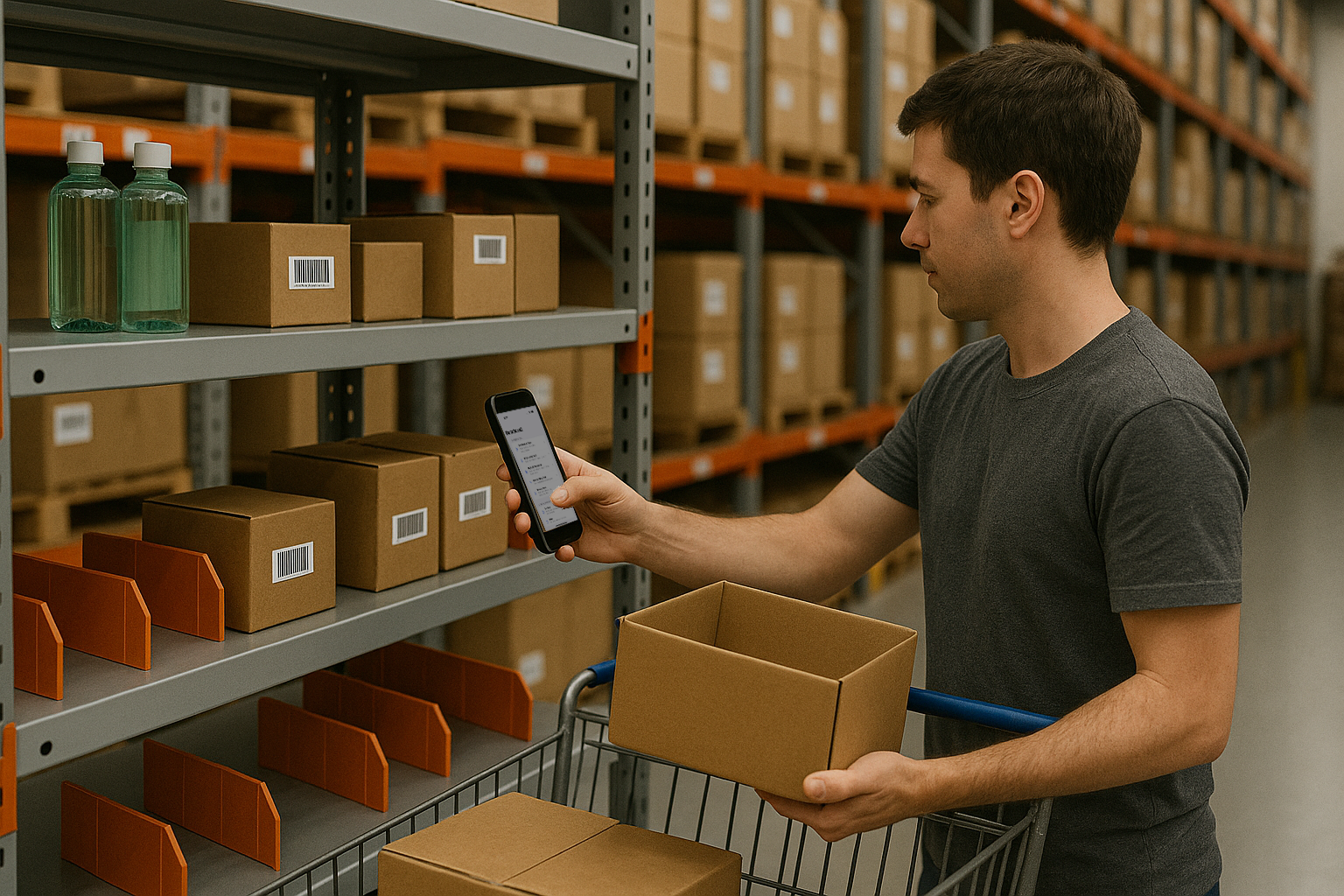
Colisage avec vérification par scan : pas à pas
- Étiquetez chaque contenant Chaque carton, bac ou palette reçoit son propre code-barres. Une planche d'étiquettes Code 128 préimprimées ou des QR codes générés ne coûtent presque rien ; des identifiants séquentiels (BOX-0001…) conviennent parfaitement. Pour les palettes, l'étiquette joue le rôle de la plaque d'identification dans un grand WMS : l'identifiant unique auquel tout le reste se rattache.
- Démarrez une session de Scan un-à-plusieurs Dans DataScan, ouvrez le Scan un-à-plusieurs — le mode conçu pour relier plusieurs codes-barres entre eux — et démarrez un nouveau scan pour la tâche : la commande, l'expédition ou simplement le colisage du jour.
- Scannez une fois le code-barres du contenant L'étiquette du carton passe en premier. Il devient le contenant actif : à partir de cet instant, chaque scan lui appartient. Aucun menu, aucune saisie — l'enchaînement lui-même porte le sens.
- Scannez les articles qui y entrent Scannez chaque article au moment où vos mains le déposent dans le carton — le scan et le geste physique restent synchronisés, et c'est ce qui rend l'enregistrement digne de confiance. Numéros de série, codes EAN, étiquettes d'actifs : tout ce qui figure sur l'article convient, pour les 13 types de codes-barres.
- Passez au contenant suivant Carton plein, fermez-le, touchez Nouveau (contenant), scannez l'étiquette du carton suivant, poursuivez le colisage. L'application change instantanément de cible de rattachement. La journée entière d'un emballeur se résume à quelques gestes : scanner le carton, scanner le contenu.
- Exportez le manifeste contenant-articles Exportez la session en CSV ou Excel : des lignes associant l'identifiant du contenant au code-barres de l'article, chacune horodatée. Envoyez-la par e-mail via votre propre serveur SMTP, déposez-la par SFTP ou partagez le fichier. Ce fichier unique constitue le bordereau de colisage pour le client, le manifeste en cas de litige avec le transporteur et l'index de recherche pour « quel carton contient l'article X » — le guide du scan vers Excel traite les détails de mise en forme.

Là où le scan un-à-plusieurs fait ses preuves
- Préparation de commandes e-commerce. Scannez l'étiquette du carton de la commande, scannez chaque article prélevé qui y entre — le manifeste constitue la trace horodatée, commande par commande, de ce qui a été emballé, pour l'e-mail « article manquant » qui arrive une semaine plus tard.
- Constitution de palettes. Des cartons sur une plaque d'identification de palette ; l'export devient le manifeste de palette que le destinataire contrôle — ce qui se marie naturellement avec le guide de la réception à l'autre bout du camion.
- Boîtes d'archives et de stockage. Dossiers, échantillons ou retours dans des boîtes numérotées : le manifeste transforme un local de stockage en index consultable.
- Assemblage de kits. Des composants dans un carton de kit — le manifeste fait aussi office de dossier de fabrication du kit et alimente votre système sous forme de fichier via le flux d'import CSV vers l'ERP.
Exemples de flux de travail : l'exemple de suivi des emplacements en entrepôt applique la même idée de scan relié en prenant les emplacements comme contenants — scanner le bac, scanner ce qui s'y trouve — et l'exemple d'inventaire des pièces en production présente une configuration pour magasin de pièces.
Côté réception : déballer avec le manifeste
Le manifeste est tout aussi utile à destination. Envoyez le CSV avant l'expédition et le destinataire peut l'importer dans sa propre base de consultation : scanner les articles qui sortent du carton indique alors si chacun figure sur le manifeste, et la comparaison de son propre export de scan avec le manifeste fait apparaître tout manquant, ligne par ligne. Même sans application à l'autre bout, un manifeste joint à l'e-mail d'expédition indique au destinataire ce qu'il doit recevoir, et les horodatages montrent quand chaque article a été scanné dans le carton. Les enregistrements de colisage coûtent peu à créer et coûtent cher lorsqu'on regrette de ne pas les avoir.
Conseils pratiques
- Scannez en emballant, jamais après. Scanner un tas préparé puis l'emballer rompt la garantie ; l'enregistrement n'est fiable qu'à hauteur du moment où le scan a lieu.
- Placez les étiquettes de contenant sur le coin supérieur extérieur. Un emplacement constant permet à la personne suivante (ou au quai de réception) de trouver le code-barres sans retourner le carton.
- Un export par expédition. Les manifestes courts se rapprochent facilement et s'attachent proprement aux documents de l'expédition.
- Fonctionne hors ligne. Les remorques, les sous-sols et les parcs à conteneurs n'ont pas de Wi-Fi ; les scans sont enregistrés localement et exportés plus tard.
Les autres façons de suivre le contenu des cartons
Alternatives honnêtes : un WMS avec gestion des plaques d'identification fait cela en direct, avec rangement dirigé et intégration transporteur — le bon choix pour la préparation de commandes à fort volume, au prix des licences et d'un projet. Les plateformes d'expédition vérifient les articles face à la commande à un poste d'emballage fixe équipé d'un scanner clavier, si tout votre colisage se fait à ce poste. Un marqueur sur le carton est gratuit et impossible à interroger. La boucle par téléphone couvre tout ce qui est mobile et de volume intermédiaire : des enregistrements de colisage reliés, horodatés et exportables, au prix d'un abonnement logiciel. Commencez par la présentation de DataScan — le mode Scan un-à-plusieurs est inclus dans l'essai gratuit de 7 jours, emballer l'expédition de demain avec lui ne coûte donc rien.
Questions fréquentes
Ouvrez le manifeste exporté et recherchez le code-barres de l'article — la colonne du contenant sur cette ligne vous donne la réponse. C'est le bénéfice quotidien du colisage relié par scan : « lequel des 40 cartons contient le numéro de série se terminant par 4471 ? » devient une recherche de dix secondes dans un tableur au lieu d'un cutter et d'une séance de remise sous adhésif.
Oui — une palette n'est qu'un contenant plus grand. Scannez une fois l'étiquette d'identification de la palette, puis scannez chaque carton empilé dessus. Imbriquez les niveaux en menant une session pour les articles dans les cartons et une autre pour les cartons sur les palettes ; les deux manifestes se joignent sur l'identifiant du carton dans Excel.
Cela vous fournit une trace : le manifeste indique ce qui a été scanné dans chaque carton, avec les horodatages. Pour contrôler l'exhaustivité par rapport à la commande, comparez le manifeste aux lignes de commande dans Excel — un nombre de lignes et des codes-barres concordants confirment la préparation. Si vous souhaitez une validation article par article pendant le scan, importez d'abord les lignes de commande dans la base de consultation et vérifiez les articles avant qu'ils n'entrent dans le carton.
Ouvrez la liste des articles scannés, retrouvez l'entrée et supprimez-la ou rescannez-la dans le bon contenant — les corrections se font sur le téléphone avant l'export, de sorte que le manifeste qui quitte l'entrepôt est propre.