Une application de scan de codes-barres qui fonctionne hors ligne
Une application de scan de codes-barres hors ligne décode les codes avec l'appareil photo du téléphone et enregistre chaque scan dans le stockage local : elle fonctionne donc à l'identique sans aucun réseau. DataScan est conçu ainsi depuis le départ : scannez dans une réserve en sous-sol, une allée de rayonnages métalliques ou un site de terrain sans couverture, puis exportez les données en CSV ou Excel une fois de retour en ligne — ou transmettez-les par tout moyen local sans jamais toucher à un réseau.
Pourquoi l'absence de réseau met en échec la plupart des applications de scan
Beaucoup de scanners d'inventaire ne sont que des clients légers d'un service cloud : chaque scan déclenche une requête vers un serveur, et le serveur écrit l'enregistrement. Cette architecture échoue précisément là où vit l'inventaire. Les rayonnages en acier font office de cage de Faraday ; les sous-sols et les chambres froides sont des boîtes en béton ; les cours rurales, les navires et les chantiers neufs n'ont aucune couverture au départ. Les symptômes vont de l'agaçant — un indicateur de chargement après chaque scan — au fatal : des scans silencieusement perdus quand la connexion vacille, ce que vous découvrez seulement lorsque le comptage ne tombe pas juste. Pire, la panne est intermittente : la démonstration au bureau fonctionnait parfaitement, et les problèmes n'apparaissent qu'au premier comptage réel dans l'allée 14.
La solution est architecturale, pas une simple option à activer : la capture doit être locale d'abord, le réseau n'intervenant qu'au moment de la transmission, quand vous le décidez. C'est le modèle de DataScan : le scan, la relecture, les fichiers d'export et les réglages fonctionnent hors ligne, et le réseau n'est nécessaire que pour envoyer le fichier.
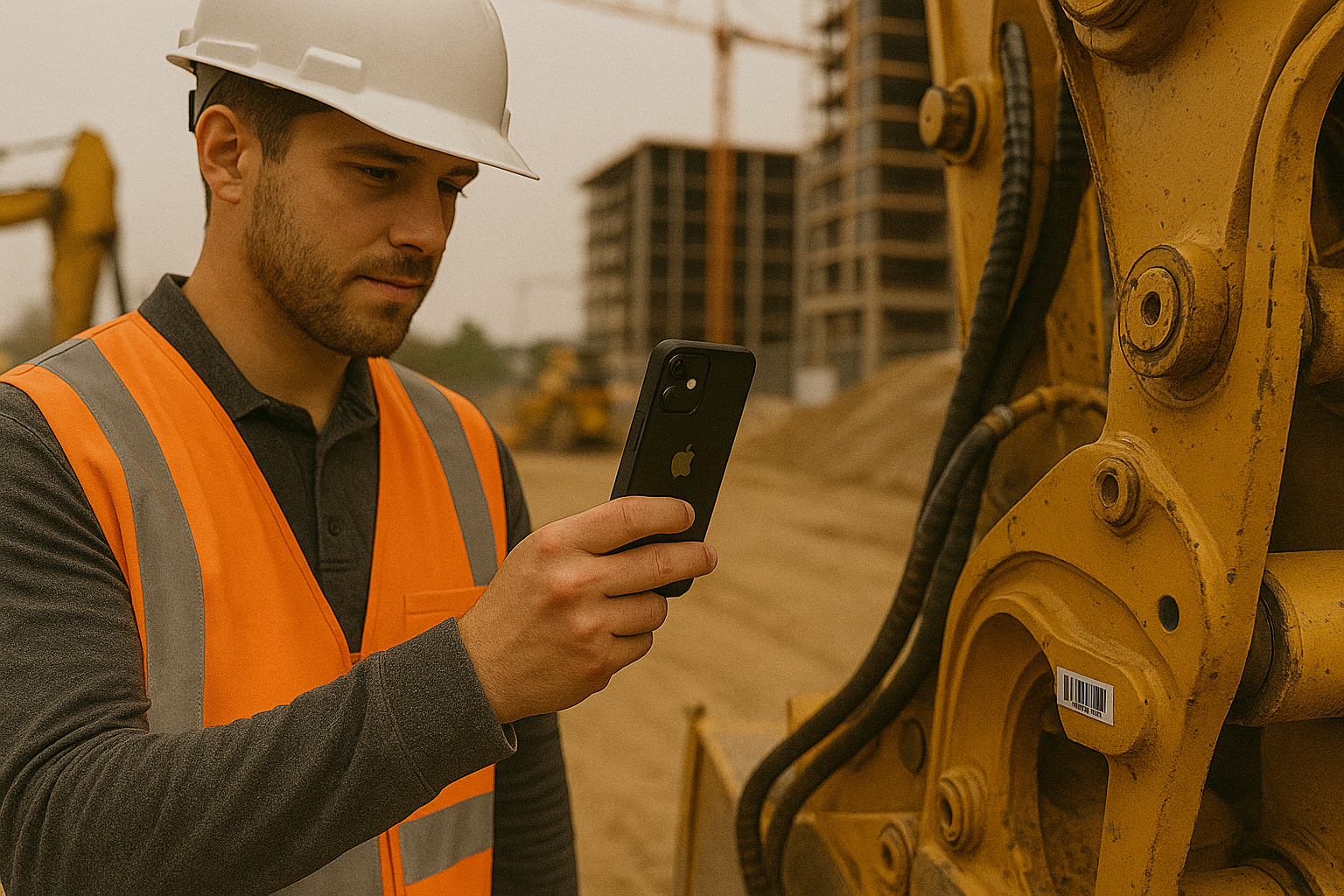
Comment se déroule le flux de travail hors ligne, pas à pas
- Préparez tout avant de perdre le réseau Installez DataScan et configurez le mode de scan et les colonnes d'export tant que vous avez encore une connexion — installer une application est la seule étape qui en ait réellement besoin. La configuration se fait une seule fois ; le scan n'exige jamais de connectivité.
- Scannez normalement dans la zone blanche Traitez l'allée, le sous-sol ou le site exactement comme vous le feriez en Wi-Fi. Chaque code-barres, quantité et note est écrit dans le stockage local du téléphone avec un horodatage, dès sa capture. Aucune file d'attente d'envoi à surveiller, puisqu'il n'y a pas d'envoi.
- Vérifiez la session sur l'appareil La liste complète des articles se trouve sur le téléphone : vérifiez le total et supprimez les doubles scans avant de partir — l'erreur coûteuse consiste à refaire une heure de route vers un site parce que les données étaient fausses, et deux minutes de contrôle sur l'appareil l'évitent.
- Exportez une fois de retour en ligne De nouveau dans la couverture réseau, exportez en CSV ou Excel et transmettez le fichier : e-mail via votre propre serveur SMTP, dépôt sur FTP/SFTP ou partage vers n'importe quelle application du téléphone. De là, il alimente Excel, Google Sheets ou un import ERP comme n'importe quel autre fichier.
Ce qui fonctionne exactement sans connexion
Les promesses de « prise en charge hors ligne » méritent un examen attentif : voici donc la liste concrète. Les cinq modes de scan s'exécutent entièrement sur l'appareil : comptage continu, quantités avec le Scan d'une valeur unique, notes avec le Scan de valeurs multiples (le GPS a besoin de satellites, pas de données mobiles — la capture de position fonctionne donc aussi en zone isolée), colisage un-à-plusieurs et vérification par consultation d'une base de données produits importée au préalable. La relecture des sessions (y compris la suppression de scans), la génération des fichiers d'export et tous les réglages fonctionnent également hors ligne. Les seules actions qui sollicitent un réseau sont la capture facultative de la météo en Scan de valeurs multiples, l'import ou l'actualisation d'une liste de consultation depuis une URL, et les voies de transmission qui, par nature, en dépendent : l'envoi d'un e-mail et le dépôt sur FTP/SFTP. Partager le fichier d'export vers une autre application du téléphone — ou vers un collègue par AirDrop — ne nécessite aucune connexion.
En pratique, cela signifie qu'un flux de travail de scanner d'inventaire hors ligne comporte exactement un moment connecté, et que vous décidez quand il a lieu. Scannez lundi dans la zone blanche, exportez vendredi depuis le bureau ; les données ne vieillissent ni n'expirent entre-temps.
Là où le scan hors ligne fait ses preuves
- Rayonnages d'entrepôt et stockage frigorifique. L'acier et le béton tuent le Wi-Fi exactement dans les allées que vous comptez. La capture locale rend les zones mortes sans importance — fini le scan près de la porte suivi d'un aller-retour.
- Sous-sols et arrière-boutiques. Les réserves des commerces sont couramment enterrées. Un inventaire complet peut se dérouler de bout en bout en mode avion.
- Services sur le terrain et construction. Les contrôles d'équipements et les inspections se déroulent là où se trouve le matériel. Les équipes qui suivent du matériel de location entre chantiers scannent sur place et exportent depuis le camion ou le bureau.
- Environnements volontairement isolés du réseau. Certains sites interdisent purement et simplement toute connexion des appareils. L'export par fichier permet malgré tout aux données de sortir par les canaux approuvés.
Le hors-ligne est aussi une décision de confidentialité
L'approche locale d'abord présente un second avantage qui compte pour de nombreuses entreprises : vos données de scan — ce que vous stockez, ce que vous comptez, où se trouvent vos équipements — ne transitent jamais par le cloud d'un éditeur, car il n'existe pas de cloud éditeur. DataScan ne comporte aucune publicité et ne nous envoie aucune donnée de scan, et les seules copies de vos scans se trouvent sur votre téléphone et dans les fichiers que vous exportez vers des systèmes que vous maîtrisez. La capacité hors ligne et la maîtrise des données sont un seul et même choix architectural sous deux visages.
Astuce : si votre flux de travail se termine par un import dans un système plutôt que par la lecture d'un tableur, configurez les colonnes d'export pour qu'elles correspondent au modèle d'import avant la première sortie hors ligne — le fichier que vous envoyez depuis le parking sera déjà celui que votre système attend.
Les alternatives, et leur situation hors ligne
Les terminaux portables dédiés en mode batch sont l'outil hors ligne classique : ils stockent les scans dans la mémoire de l'appareil et les déversent par USB ou par socle. Cela fonctionne, mais vous achetez et gérez du matériel pour une capacité que votre téléphone possède déjà, et la plupart ne capturent que le code-barres nu — ni quantités, ni notes, ni GPS. Les plateformes d'inventaire cloud avec cache hors ligne conservent les scans localement et les synchronisent ensuite, ce qui va très bien jusqu'à ce qu'un conflit de synchronisation se résolve silencieusement dans le mauvais sens ; avec des fichiers explicites, ce que vous avez exporté est ce qui arrive, et vous pouvez l'inspecter en chemin. L'application appareil photo intégrée d'iPhone et d'Android décode les codes QR hors ligne, mais n'a nulle part où ranger une centaine de scans — elle ouvre des liens, elle ne construit pas de listes. Pour la comparaison complète entre le scan par téléphone et le matériel dédié, consultez utiliser votre iPhone comme scanner d'inventaire ou partez de la page d'accueil DataScan.
Questions fréquentes
Non. Le décodage des codes-barres se fait entièrement sur le téléphone à l'aide de l'appareil photo, et chaque scan est enregistré dans le stockage local. Une connexion n'est utilisée que si vous choisissez de transmettre un export par e-mail ou FTP/SFTP — et même cela peut être fait plus tard ou remplacé par un partage local du fichier.
Les scans sont écrits sur l'appareil au fur et à mesure de leur capture, et non conservés en mémoire jusqu'à la réussite d'un envoi. Rouvrez l'application : la session est là. Rechargez le téléphone et poursuivez.
Exactement comme des scans réalisés en ligne : exportez la session en fichier CSV ou Excel et transmettez-la par e-mail, FTP/SFTP ou la feuille de partage dès que vous avez une connexion. Le format d'export et les colonnes sont identiques, que les scans aient été capturés en ligne ou hors ligne.
Oui, à condition de vous y préparer : importez votre base de données produits dans DataScan avant de passer hors ligne, et le Scan de recherche vérifie les codes-barres par rapport à celle-ci entièrement sur l'appareil — sans aller-retour vers un serveur.