تطبيق تدقيق مخزون التجزئة: عمليات عدّ سريعة للرفوف دون إغلاق المتجر
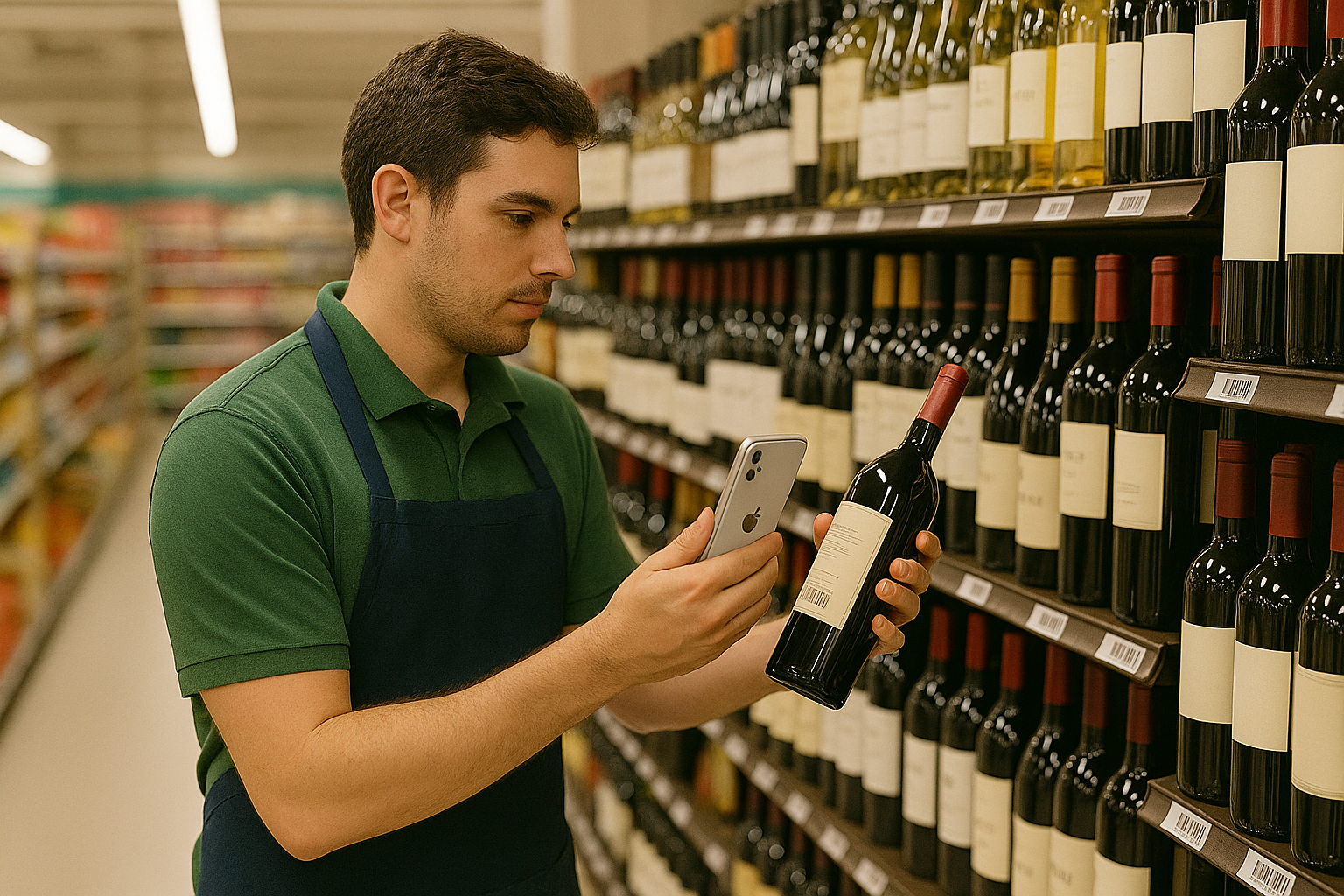
يحوّل تطبيق تدقيق مخزون التجزئة هواتف الموظفين إلى ماسحات لعدّ الرفوف: امسح باركود كل منتج، واكتب الكمية الموجودة على الرفّ، وصدّر جدول بيانات تقارنه مع أرقام نظام نقاط البيع لديك. ومع DataScan تدقّق ممرًّا بممرّ خلال الساعات الهادئة — مع عدة موظفين يعدّون بالتوازي — ولا يُغلَق المتجر من أجل ذلك أبدًا.
لماذا يُهمَل تدقيق مخزون المتجر
يعرف كل تاجر تجزئة الأعراض: يقول نظام نقاط البيع أربع وحدات، وعلى الرفّ وحدة واحدة؛ ويطلب زبون صنفًا يقسم النظام بأنه متوفّر؛ ويُنتج العدّ في نهاية السنة رقم فاقد لا يستطيع أحد تفسيره لأن الأخطاء عمرها أحد عشر شهرًا. أما الحلّ — عمليات عدّ منتظمة للرفوف — فيُهمَل لأن الأدوات التقليدية تجعله عملًا ضخمًا: أجهزة مسح مستأجرة، وطاقم يعمل بعد ساعات الدوام، أو تمرين بالحافظة الورقية يتعيّن على أحدهم كتابته لاحقًا.
والهواتف في جيوب موظفيك تُلغي هذه الذريعة. فالهاتف يقرأ رمز EAN، وتُكتَب الكميات عند الرفّ بدلًا من نقلها لاحقًا، والمخرجات جدول بيانات يُقارَن مع تصدير نقاط البيع. فيصبح الممرّ مهمة يمكنك إدراجها في صباح هادئ.
كيفية عدّ مخزون الرفوف بالباركود: خطوة بخطوة
- صدّر المخزون المتوقّع من نظام نقاط البيع لديك استخرج تقريرًا يتضمّن الباركود والكمية المتوقّعة لكل صنف — وكل نظام نقاط بيع أو مخزون لديه تقرير كهذا. حدّد نطاقه بالمناطق التي تنوي تدقيقها. وهذه الورقة هي المسطرة التي يُقاس بها العدّ، لذا استخرجها طازجة في يوم التدقيق، لا قبل أسبوع.
- قسّم المتجر إلى مناطق ممرّ واحد، أو قسم واحد، أو فئة واحدة لكل منطقة. المناطق الصغيرة تُبقي التركيز حادًّا، وتنتج ملفات يسهل تسويتها، وتتيح لعدة موظفين العدّ بالتوازي دون تعارض. دوّن قائمة المناطق — فالرفوف غير المخصّصة لأحد هي ما يُحدث ثغرات في التدقيق.
- اعدّ كل منطقة بوضع مسح قيمة واحدة في DataScan، ابدأ جلسة مسح قيمة واحدة للمنطقة وصدّرها قبل المنطقة التالية (احفظها باسم aisle-05 2026-07-10). امسح رمز EAN أو UPC للمنتج، وعُدّ ما هو موجود فعليًا — الواجهات مع المخزون الخلفي — واكتب الكمية. امسح، عُدّ، اكتب، التالي: ويستقرّ الإيقاع خلال عشرة منتجات أو نحوها.
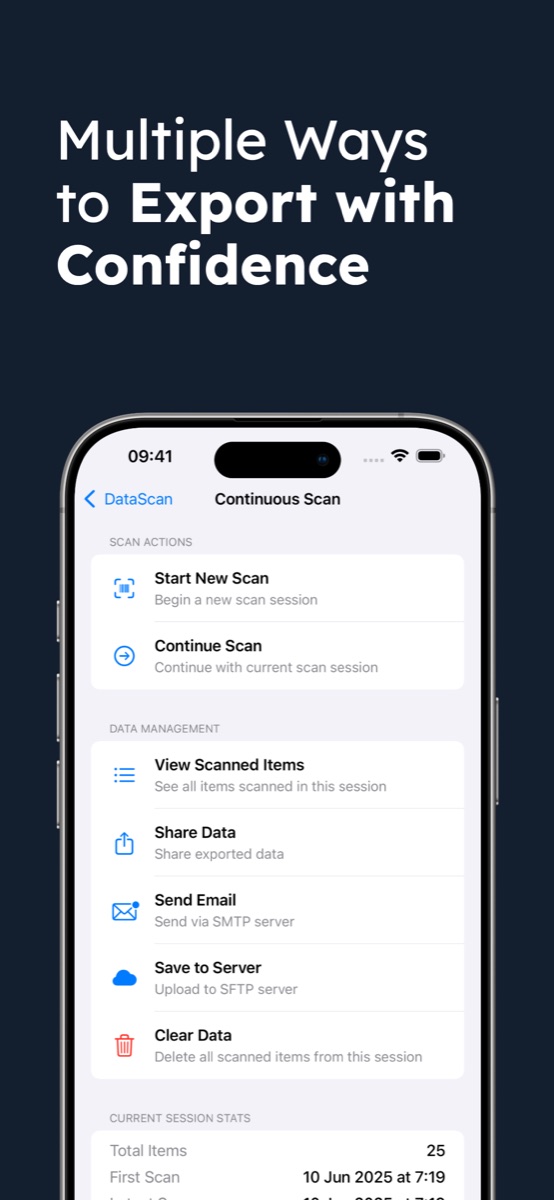
- صدّر الجلسات يصدّر كل عادّ جلساته المكتملة بصيغة CSV أو Excel — صفّ واحد لكل منتج مع الباركود والكمية المعدودة والطابع الزمني — ويرسلها بالبريد الإلكتروني عبر خادم SMTP الخاص بك، أو يرفعها عبر SFTP، أو يشارك الملف مباشرةً. وترويسات الأعمدة قابلة للضبط مرة واحدة بحيث تطابق كل عملية تصدير ورقة المقارنة لديك.
- قارِن مع تصدير نقاط البيع في Excel كدّس ملفات الجلسات في ورقة واحدة، ثم تجلب الصيغة
=VLOOKUP(barcode, counts, 2, FALSE)كل كمية معدودة بجانب الكمية المتوقّعة. وإذا كان نظام نقاط البيع لديك يُدرِج رموز UPC من 12 خانة، فحوّل أولًا عمودَي الباركود كليهما إلى 13 خانة باستخدام=TEXT(A2,"0000000000000")، كي تتطابق رموز UPC أيًّا كان الهاتف الذي مسحها. وعمود فروقات (المعدود − المتوقّع) مع تصفية للصفوف غير الصفرية يحوّل ألفَي صفّ إلى القائمة القصيرة التي تحتاج فعلًا إلى الاهتمام. - أعد عدّ الفروقات وعدّل أعد عدّ الأصناف المعلَّمة في اليوم نفسه — فمعظم الفروقات تتّضح أنها مخزون خلفي، أو رفّ مجاور، أو منتج وُضِع في غير مكانه، لا فاقدًا. سجّل التعديلات المؤكَّدة في نظام نقاط البيع ليبدأ التدقيق التالي من الحقيقة، واحتفظ بقائمة الفروقات: فالأنماط حسب الفئة أو الوردية تدلّك على أين تبحث لاحقًا.
كم يستغرق تدقيق مخزون المتجر؟
خطّط انطلاقًا من المناطق: مسح المنتج سريع، وما يستغرق الوقت هو عدّ الواجهات والمخزون الخلفي. احسب وقت منطقتك الأولى، ثم خطّط لبقية المتجر على أساسه — شريحة في كل صباح هادئ، دون أن يبقى أحد بعد الدوام. وتسوية الفروقات سريعة بمجرد وجود ورقة المقارنة.
نصائح لعمليات التدقيق الأسبوعية
- صفِّ الترميزات على أنواع التجزئة. اقصر المسح على EAN وUPC كي تتجاهل الكاميرا ترميز Code 128 على كرتونة أو رمز QR على حافّة رفّ.
- اعدّ على العمياء. لا تُعطِ العادّين الأرقام المتوقّعة؛ فمعرفة الإجابة "الصحيحة" تدفع الأعداد نحوها وتدفن الفروقات الحقيقية.
- دقّق المال أولًا. خطوط المنتجات عالية القيمة وعالية الفاقد والعروض الترويجية تستحقّ مواعيد أسبوعية؛ أما خطوط الفئة C البطيئة فيمكنها انتظار الجدول المتدرّج — ويغطّي دليل العدّ الدوري وتيرة ABC بالتفصيل.
- دع الطوابع الزمنية تتولّى المبيعات أثناء العدّ. يحمل كل صفّ مسح طابعًا زمنيًا، فتصبح عملية بيع تحدث أثناء العدّ قابلة للتسوية مقابل سجلّ معاملات نقاط البيع بدلًا من أن تتحوّل إلى فرق وهمي.
- يعمل في القبو أيضًا. تُخزَّن عمليات المسح محليًا على الهاتف، فلا تشكّل المخازن التي لا تتوفّر فيها شبكة Wi-Fi أي عائق — صدّر عند عودتك إلى صالة البيع.
مثال على سير العمل: يوضّح مثال العدّ الدوري في متاجر التجزئة كيف يمكن لمتجر إعداد دورة تدقيق بمعدّل فئة في الأسبوع بين عمليات الجرد الشاملة.
طرق أخرى لتدقيق مخزون المتجر
من باب الاكتمال: لا تزال أجهزة المسح المستأجرة (أو خدمة جرد خارجية) منطقية لعدّ شامل في نهاية السنة داخل متجر كبير — سرعة عدّ خالصة بسعر لكل عملية. وتسجّل وحدات التدقيق المدمجة في نقاط البيع التعديلات دون جدول بيانات في الدورة، إذا كان مورّد نظام نقاط البيع لديك يوفّرها وكان الرسم لكل متجر يستحقّ ذلك. أما الحافظة الورقية فلا تكلّف شيئًا لكنها تنتج عمل إعادة كتابة وأرقامًا مبدَّلة. وتغطّي دورة الهاتف مع جدول البيانات الوسط الواسع: عمليات عدّ منظَّمة بتكلفة اشتراك تطبيق، على أجهزة تملكها أصلًا. وإذا كنت بحاجة فعلًا إلى النسخة الشاملة الكاملة، فالإعداد نفسه يتوسّع — راجع تنفيذ عملية جرد بهواتف iPhone، أو دليل المسح إلى Excel لتفاصيل التصدير، أو نظرة عامة على DataScan للاطّلاع على أوضاع المسح الخمسة جميعها. وتشمل التجربة المجانية لمدة 7 أيام كل شيء، فلا يكلّفك تدقيق تجريبي لممرّ واحد سوى الوقت اللازم لعدّه.
الأسئلة الشائعة
نعم — وهذه هي الميزة الرئيسية للعدّ القائم على المناطق بالهواتف. فأنت تدقّق ممرًّا أو فئة واحدة في كل مرة خلال الساعات الهادئة بينما يواصل بقية المتجر البيع بشكل طبيعي. وتستغرق كل منطقة دقائق، وتتيح لك الطوابع الزمنية لكل عملية مسح تسوية أي مبيعات حدثت أثناء العدّ مقابل سجلّ معاملات نقاط البيع.
نعم. امنح كل شخص منطقة وهاتفًا مثبّتًا عليه DataScan؛ وتُصدَّر كل جلسة مكتملة كملف مستقلّ، ثم تُدمَج الملفات في ورقة مقارنة واحدة في Excel. وينسخ ملف الإعدادات التهيئة إلى كل هاتف، فتصدّر جميعها الأعمدة نفسها — فيصبح الدمج مجرد نسخ ولصق.
نعم. يقرأ DataScan ترميز EAN-13 وEAN-8 (أوروبا ومعظم دول العالم)، وUPC-A وUPC-E (أمريكا الشمالية)، إضافةً إلى Code 128 وترميزات لوجستية أخرى لملصقات الكراتين وحواف الرفوف — 13 نوعًا من الباركود إجمالًا. ويمكنك قصر المسح على أنواع التجزئة فقط كي تتجاهل الكاميرا الرموز الأخرى.
تعدّ عملية الجرد كل شيء، وعادةً مرة واحدة في السنة؛ أما تدقيق المخزون فيتحقّق من شريحة — فئة، أو ممرّ، أو خطوط منتجات عالية الفاقد — عند الطلب أو وفق جدول متدرّج. وسير العمل هو دورة المسح والعدّ والمقارنة نفسها، لكن بنطاق أصغر، ولهذا يتلاءم مع يوم عمل عادي.