Education Solution

Affordable Library Management for Small Libraries

Fast book checkout with barcode scanning - no expensive library system needed. Perfect for schools and community libraries.

7-Day Free Trial No Credit Card Required iOS & iPadOS
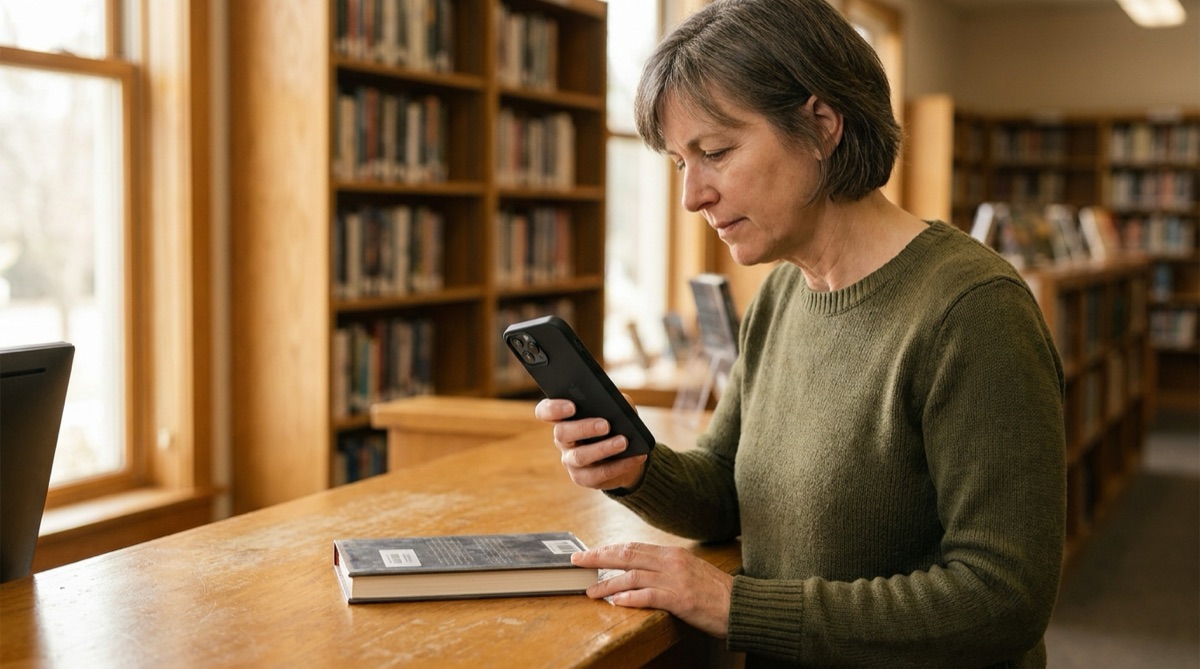
School librarian scanning book barcode for student checkout

Why Small Libraries Struggle With Checkout Tracking

For school libraries and small community libraries, expensive integrated library systems cost $5,000-20,000 - far beyond reasonable budgets. Meanwhile, manual paper checkout cards are slow, unreliable, and create organizational nightmares. Students write illegibly, forget to sign cards, or sign for friends, making it impossible to know who actually has which books.

Tracking overdue books with paper systems requires hours of manual work. The librarian must sort through hundreds of checkout cards, compare due dates to today's date, identify overdue items, and manually create reminder notices. By the time overdue notices go out, books are often weeks late, and students have forgotten they even borrowed them.

Lost books represent significant financial losses. When 30+ books go missing each year because students forgot to return them or genuinely misplaced them, replacing those books costs thousands of dollars. Without reliable checkout records, there's no way to prove who had a book last or follow up effectively.

Meanwhile, students have no easy way to track their own borrowing. They forget what they've checked out, can't remember due dates, and face awkward conversations when the librarian asks about books they swear they returned. You need a simple, affordable system that creates reliable records without requiring expensive software or dedicated hardware.

How DataScan Solves Library Checkout Tracking

DataScan turns any iPhone or iPad into a complete library checkout system for a fraction of traditional library software costs. Books already have ISBN barcodes printed on them - no additional labeling needed. Students get barcode ID cards or use existing student IDs. Checking out books becomes a simple two-scan process that creates reliable digital records.

When a student brings books to checkout, use One-to-Many Scan mode: scan their student ID card first, then scan each book's ISBN barcode - every book is linked to that student in one session. Need to confirm a title? Lookup Scan mode checks any book against your imported catalog and instantly displays its title and author. DataScan records the student ID, all book ISBNs, and the checkout timestamp; add a due-date column in the exported spreadsheet (checkout date plus your lending period) and every loan has its return deadline.

Export checkout records to Excel with a single tap. The spreadsheet shows which student has which books and when they're due back. Import this into your library tracking system, or simply use the Excel file directly. For overdue tracking, filter the spreadsheet by due date - instantly see which books are late and which students to contact.

Students can receive email receipts showing exactly what they checked out and when items are due. No more he-said-she-said about whether a book was returned. The barcode scan records create indisputable proof of who borrowed what and when. Books that actually get lost can be tracked to the last known borrower, dramatically reducing unexplained disappearances.

The Simple Two-Scan Checkout Process

  1. Setup Book Database Create a spreadsheet with ISBN barcodes, book titles, authors, and shelf locations. Upload to DataScan's lookup database so book details display during checkout.
  2. Student Brings Books Student approaches checkout desk with books to borrow. Librarian opens DataScan on the library tablet or computer.
  3. Scan Student ID and Books In One-to-Many Scan mode, first scan the student's ID card barcode, then scan each book's ISBN barcode - every book links to that student. Takes 20 seconds for a 3-book checkout.
  4. Export Checkout Log After each session or daily, export the checkout log to Excel. Shows all student IDs, book ISBNs, titles, and checkout timestamps - add a due-date column based on your lending period.
  5. Track and Follow Up Use Excel to track which books are out and overdue. Filter by due date for weekly overdue notices. Track returns by scanning books in Lookup Scan mode as they come back - each scan verifies the book against your catalog.

Riverside Elementary School Library: From Chaos to Control

Mrs. Anderson manages the library at Riverside Elementary School, serving 450 students in grades K-5. The library has 2,800 books, and on a typical day, 15-30 students check out books during their library time. The school district budget for library systems is essentially zero - Mrs. Anderson had been using paper checkout cards in book pockets for years.

The paper system was failing in multiple ways. Students would forget to fill out cards, write illegibly, or skip the checkout process entirely and just take books. Mrs. Anderson would discover books missing from shelves with no record of who took them. Each year, 30-40 books disappeared - some legitimately lost, others simply taken without checkout. At $15-25 per replacement book, this represented $600-800 in annual losses.

Tracking overdue books consumed hours every week. Mrs. Anderson would manually sort through hundreds of checkout cards, identify overdue items, look up student names in the school directory, and hand-write reminder notes to send home with students. The process took 2+ hours weekly and was so tedious that she often delayed it, making overdue problems worse.

When the principal suggested a formal library management system, the quotes came back at $8,000-15,000 for software and hardware. The school simply couldn't afford it. Mrs. Anderson felt stuck with an inadequate manual system.

During summer break, Mrs. Anderson discovered DataScan and decided to try it. She spent two days creating a spreadsheet of the library's collection - ISBN numbers, titles, authors, and Dewey Decimal locations. She uploaded it to DataScan's lookup database. Cost so far: $0, using the school's existing iPad. When school resumed, the transformation was immediate. Student Emma approaches with two books. Mrs. Anderson: Scan your ID, Emma. Emma scans her student ID card. Mrs. Anderson scans both books - the app displays Harry Potter and the Sorcerer's Stone and Charlotte's Web for confirmation. Total time: 20 seconds. Emma heads back to class, and the checkout is recorded with perfect accuracy. At the end of each day, Mrs. Anderson exports the checkout log to Excel, taking 30 seconds. The file shows every book checked out, by whom, and when it's due back. Monday morning overdue check now takes 15 minutes instead of 2+ hours - she filters the Excel file by due date and generates a simple list. After one school year, missing books dropped from 35 to just 3 - a 91% reduction. The three that did go missing could be traced to specific students, and two were recovered. Mrs. Anderson saves 6+ hours per month, which she now spends helping students discover books they'll love instead of wrestling with administrative chaos.

The Numbers: Before and After

Before DataScan: 30-40 books lost per year ($600-800), 2+ hours weekly on overdue tracking, frequent checkout errors and missing records, cost for traditional ILS: $8,000-15,000. After DataScan: 3 books lost (91% reduction), 15 minutes weekly on overdue tracking, zero checkout errors, cost: $0 (used existing iPad).
Measured Results After One School Year

  • 91% reduction in lost/missing books (from 35 to 3 books per year)
  • Saved $500+ in book replacement costs
  • 87% reduction in overdue tracking time (from 2+ hours to 15 minutes weekly)
  • 100% accuracy in checkout records (eliminated missing/illegible data)
  • Students can now track their own borrowing with email receipts
  • Professional library management for $0 additional hardware cost

Everything You Need for Library Management

ISBN Barcode Scanning

Use the ISBN barcodes already printed on books. No need to purchase or apply additional labels. Works with any book in print.

Book Lookup Database

Upload your library catalog as a CSV. Lookup Scan mode checks each book against your catalog, showing titles and authors on screen for instant verification.

One-to-Many Checkout

Scan the student's ID once, then scan every book they're borrowing. One-to-Many Scan mode links each book to that student in a single session.

Due Dates in Your Spreadsheet

Every checkout is timestamped. Add a due-date column in Excel (checkout date plus your lending period - 14 days, 21 days, etc.) and filter by it for instant overdue lists.

Excel Export for Tracking

One-tap export generates complete checkout logs with student IDs, book titles, dates, and due dates. Perfect for overdue tracking and reporting.

Works Completely Offline

No internet connection required during checkout. Perfect for libraries with unreliable connectivity. Sync and export when back online.

Get Started in One Afternoon

  1. Download DataScan Download DataScan from the App Store on your library's tablet or device. Start the 7-day free trial - no credit card required.
  2. Create Library Catalog Build a spreadsheet with ISBN numbers, book titles, authors, and any other information you want to track. Upload to DataScan as a lookup database.
  3. Prepare Student IDs Create barcode ID cards for students or use existing student ID cards with barcodes. Each student needs a unique identifier.
  4. Scan Checkouts When students check out books, scan their ID first, then scan each book's ISBN. Book titles appear on screen for verification.
  5. Export and Track Daily or weekly, export the checkout log to Excel. Use the spreadsheet to track books out, identify overdue items, and generate reports.

Ready for Professional Library Management?

Join school and community libraries managing thousands of books without expensive systems. Start your free 7-day trial today.

7-Day Free Trial • No Credit Card Required • Cancel Anytime